How to Use Twitter (X) for Business
To use Twitter (now X) for business, you need five things: a complete professional profile, a consistent posting rhythm, fast replies to mentions and DMs, smart use of hashtags and lists, and a regular look at your analytics. The platform rebranded to X in 2023 and tweets are officially “posts” now, but it remains one of the best channels for real-time conversation between brands and customers.
This guide covers each piece step by step, from setting up a professional account to reading your analytics, plus what the blue and gold checkmarks actually mean today.
Setting Up a Business Twitter Account
To get started on using Twitter for business, you need to understand the platform’s basic elements. A business’s Twitter profile includes six key parts: the handle (@name), display name, profile photo, bio, header image, and pinned tweet. These elements work together to represent your business and attract followers.
Key Elements of a Business Twitter Profile:
- Handle (@name): This should be unique and easy to remember.
- Display Name: Typically, the brand name or something closely associated with the business.
- Profile Photo: Usually, the business logo.
- Bio: A concise description of your business, limited to 160 characters.
- Header Image: A dynamic opportunity to display promotions or important news.
- Pinned Tweet: The first tweet that visitors will see when they visit your profile.
Understanding these elements will ensure that your Twitter profile is attractive, clear, and professional.
Understanding Twitter Terminology
Understanding Twitter terminology is crucial when using the business platform. Key terms include @mentions, hashtags (#), and retweets. Here are some of the most important terms businesses should familiarize themselves with:
- @Mentions: Tags other users in tweets, creating a connection.
- Hashtags (#): Categorize tweets and make them discoverable by others interested in the same topics.
- Retweets (now “reposts”): Share other users’ posts with your followers to spread information.
- Twitter Lists: Organize accounts by specific themes or industries.
- Trending Topics: Highlight the most popular hashtags or subjects in real-time.
By mastering these terms, businesses can enhance their interactions and increase their visibility on Twitter.
Setting Up a Twitter Professional Account
Another critical element to understand in learning how to use Twitter marketing is setting up your account. While the process of setting up a business account is similar to creating a personal account, businesses can enhance their Twitter experience by switching to a Twitter Professional account. This provides access to valuable features like analytics, which offer insights into follower behavior, engagement rates, and more.
Setting up a Twitter account for your business is a strategic move to enhance your online presence and engage with your audience effectively. Follow these steps to establish a professional and compelling profile for your Twitter marketing for business:
- Create an Account with a Business Email Address or Phone Number:
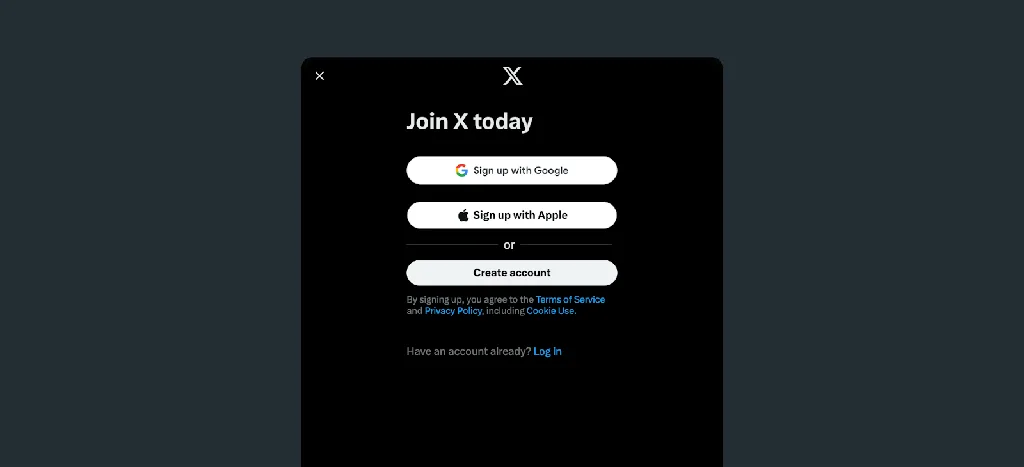
28/12/2024 | https://x.com/i/flow/signup | Twitter Sign-Up Page
- Navigate to Twitter’s sign-up page.
- Enter your business name, email address, and phone number.
- Choose a strong password to secure your account.
- Click “Next” and follow the prompts to complete the account creation process.
- Choose a Strong Password to Protect Your Account:
- Select a password that combines uppercase and lowercase letters, numbers, and special characters.
- Ensure the password is unique and not used for other accounts to enhance security.
- Use a Professional Profile Photo, Usually Your Business Logo:
- Upload a high-quality image of your business logo or a professional photo that represents your brand.
- The recommended size for the profile picture is 400×400 pixels.
- Ensure the image is clear and easily recognizable, as it will be your business’s primary visual representation on Twitter.
- Write a Clear, Engaging Bio That Explains What Your Business Does:
- Craft a concise bio (up to 160 characters) that clearly describes your business and its offerings.
- Incorporate relevant keywords to improve discoverability.
- Consider including a call-to-action or a unique selling point to attract potential followers.
- Provide Your Website URL and Location to Make It Easy for Customers to Find You:
- Include a link to your official website to drive traffic and provide more information about your business.
- Add your business location to help local customers find and connect with you.
Switch to a Twitter Professional Account for Access to Analytics and More Tools:
- Go to your profile and select “Edit Profile.”
- Click on “Edit Professional Profile.”
- Choose “Switch Account Type” and select “Professional.”
- Follow the prompts to set up your professional account, which will grant you access to analytics and additional tools to enhance your Twitter experience.
By following these steps, you can establish a robust Twitter presence that effectively represents your business and engages with your target audience.
By setting up your Twitter account in this way, you’ll be able to track performance and make data-driven decisions.
Using Hashtags to Boost Visibility

One of the most effective strategies for enhancing your visibility on Twitter is by using hashtags. Hashtags are one of the primary ways content is discovered on Twitter, as they categorize tweets based on trending topics or specific themes. Using relevant hashtags allows your tweets to reach beyond your immediate followers and tap into broader conversations.
Tips for Using Hashtags:
- Use popular or trending hashtags to expand your reach.
- Create branded hashtags for campaigns or special events.
- Keep it concise: don’t overuse hashtags, as they can appear spammy.
Strategically using hashtags helps make your content discoverable by users interested in related topics, allowing you to connect with a wider audience.
Engaging in Customer Service on Twitter
In addition to using hashtags, businesses can leverage Twitter’s customer service capabilities. Twitter has become a preferred platform for customers to reach out to brands, whether for inquiries, complaints, or general feedback. By monitoring mentions of your brand and responding promptly, businesses can demonstrate responsiveness and build stronger customer relationships.
How to Use Twitter for Customer Service:
- Monitor mentions of your business to address concerns quickly.
- Use Direct Messages (DMs) to handle private issues and provide detailed responses.
- Ensure your team responds quickly and courteously to customer inquiries.
- Apologize when necessary and resolve problems efficiently to improve satisfaction.
Twitter’s real-time nature means customers expect quick replies, so responsiveness is key to fostering positive relationships.
Creating Interactive and Engaging Content

In the dynamic world of social media, creating interactive and engaging content is essential for businesses aiming to capture attention and foster meaningful connections with their audience. On Twitter, incorporating elements like photos, GIFs, polls, and questions can significantly enhance engagement and keep your audience interested. Visual content, such as photos and GIFs, not only captures attention but also helps your brand stand out in a crowded feed.
Tips for Interactive Content:
- Use Visuals: Incorporate photos and GIFs to make your tweets more engaging. Tweets with images receive considerably higher engagement, as they are more eye-catching and can convey your message more effectively.
- Create Polls: Use Twitter’s polling feature to directly engage your audience and gather feedback. Polls can be open for up to seven days, allowing you to collect opinions and insights from your followers.
- Post Questions: Encourage conversation and build community by asking questions in your tweets. This approach invites your audience to share their thoughts and experiences, fostering a sense of community and increasing engagement.
Incorporating interactive elements into your posts keeps your content fresh and gives you a steady read on what your audience responds to. Longer stories work too: Twitter threads let you break a topic into a connected series of posts that people can share as one unit.
Live Tweeting for Real-Time Engagement
Live tweeting is another excellent way to engage your audience and generate interest in real-time. It is commonly used during events, product launches, or promotional activities. By tweeting about an ongoing event, businesses can keep their audience informed and engaged and using an event-specific hashtag allows you to track and participate in the broader conversation.
How to Use Live Tweeting:
- Tweet real-time updates during events, launches, or promotions.
- Use event-specific hashtags to enhance visibility and track the conversation.
- Engage with followers by responding to tweets during the event.
- Share highlights or important moments as they happen.
Live tweeting keeps your brand at the forefront of your mind and encourages more people to join the conversation.
Hosting and Participating in Twitter Chats
Twitter chats are scheduled conversations built around a recurring hashtag. Hosting one, or joining an established one in your industry, puts your account in front of an engaged, topic-specific audience. Here’s what they’re good for:
Networking Opportunities
Engaging in Twitter chats enables businesses to connect with a diverse range of professionals, including industry leaders, influencers, potential customers, and partners. These chats create a natural environment for meaningful discussions, fostering relationships that can lead to collaborations and partnerships.
Showcase Expertise
By actively participating in Twitter chats, businesses can demonstrate their expertise by providing valuable insights, answering questions, and offering helpful tips. This positions them as trusted sources of information builds credibility, and can drive traffic to their profiles, encouraging potential customers to learn more about their offerings.
Create Structured Conversations
Twitter chats are organized around specific themes or questions, allowing businesses to guide conversations in a structured manner. This focused approach ensures discussions remain relevant and aligned with brand values, attracting followers genuinely interested in the subject matter.
Increase Visibility and Reach
Participating in broader, industry-specific Twitter chats can significantly enhance a business’s visibility. Chats tied to well-known hashtags or topics attract participants from around the world, providing opportunities to interact with individuals outside the immediate follower base and expanding reach.
By consistently engaging in or hosting Twitter chats, businesses can build stronger relationships with their audience, gain valuable feedback, and position themselves as leaders in their industry. These structured conversations facilitate authentic interactions, leading to increased trust, brand loyalty, and potential customer conversions.
Organizing Twitter Lists for Better Organization
Another powerful feature for businesses is the option to create and manage Twitter lists. These lists help companies stay organized by categorizing users or accounts into specific groups, such as industry influencers, competitors, or customers.
How to Use Twitter Lists:
- Create lists for industry influencers, competitors, or customers.
- Monitor key accounts without overwhelming your main feed.
- Use private lists to track sensitive information or competitors.
- Stay organized and focused by keeping relevant accounts in separate lists.
Twitter lists are an excellent tool to track important conversations or trends, ensuring businesses never miss crucial information.
Verifying Your Twitter Account for Credibility
Verification on X works very differently than it did in the legacy Twitter era. The blue checkmark is no longer a free badge awarded for notability: it now comes with a paid X Premium subscription. Businesses can instead join Verified Organizations, a separate paid program that adds a gold checkmark, while government accounts carry a gray one. Our guide on how to get verified on Twitter (X) covers the current requirements in detail.
Benefits of Verified Accounts:
- Build Trust with Your Audience Through Credibility: A verified account assures users that they are interacting with an authentic business, fostering trust and confidence among your audience. This trust can lead to increased customer loyalty and engagement.
- Enhance Visibility: Premium subscribers get a boost in replies and search, making it easier for users to discover your posts. This increased visibility can drive more traffic to your profile and website.
- Differentiate Your Brand from Impersonators or Scammers: The verification badge helps distinguish your official account from fake profiles, protecting your brand’s reputation and ensuring that users are engaging with a legitimate source.
Verification helps your business appear more professional and authentic, building confidence among your followers. By obtaining the verification badge, you signal to your audience that your business is legitimate and trustworthy, which can lead to increased engagement and customer loyalty.
To keep the checkmark, X still requires a complete profile with a display name and photo, recent activity, and a verified phone number, and it reviews accounts for impersonation before the badge appears (changing your name or photo can trigger a re-review). For companies, Verified Organizations also adds affiliate badges for employee accounts, so customers can tell official staff from impersonators.
Using Twitter Analytics to Measure Success
Finally, Twitter’s analytics tools provide businesses with the data needed to measure success and optimize their strategies. The analytics dashboard offers valuable insights into post performance, follower demographics, and engagement metrics (we cover the dashboard step by step in our Twitter analytics guide). By reviewing these insights, businesses can determine which types of content perform best, what times of day their audience is most active, and how they can improve their overall strategy.
How to Use Twitter Analytics:
- Track tweet performance to identify what resonates with your audience.
- Measure follower demographics to tailor content.
- Review engagement metrics to see how your audience interacts with your posts.
- Optimize your strategy based on analytics to increase success.
Analytics provide the necessary information to refine and enhance your Twitter strategy, ensuring your business reaches its goals.
Boost Your Presence
In conclusion, Twitter is an invaluable tool for businesses looking to expand their online presence, engage with customers, and boost brand recognition. By understanding the platform’s key features, including hashtags, DMs, lists, and live tweeting, businesses can maximize their reach and strengthen their connection with their audience.
Whether it’s increasing traffic to your website, promoting new products, or handling customer service inquiries, Twitter offers a range of tools and strategies that can enhance your business’s social media marketing efforts. By being active, responsive, and strategic on Twitter, your business can thrive in the fast-paced world of social media.
Growing an audience on X takes time, especially in the early days when few people see your posts. If you’re building a personal or creator presence alongside the strategies above, Bulkoid can help with that initial momentum: a stronger follower count makes a new profile easier to trust and your posts easier to surface.