
What are impressions on LinkedIn is a question that comes up the moment you start checking post analytics.
You publish something, the impression count starts climbing, and it is not always clear what that number actually means.
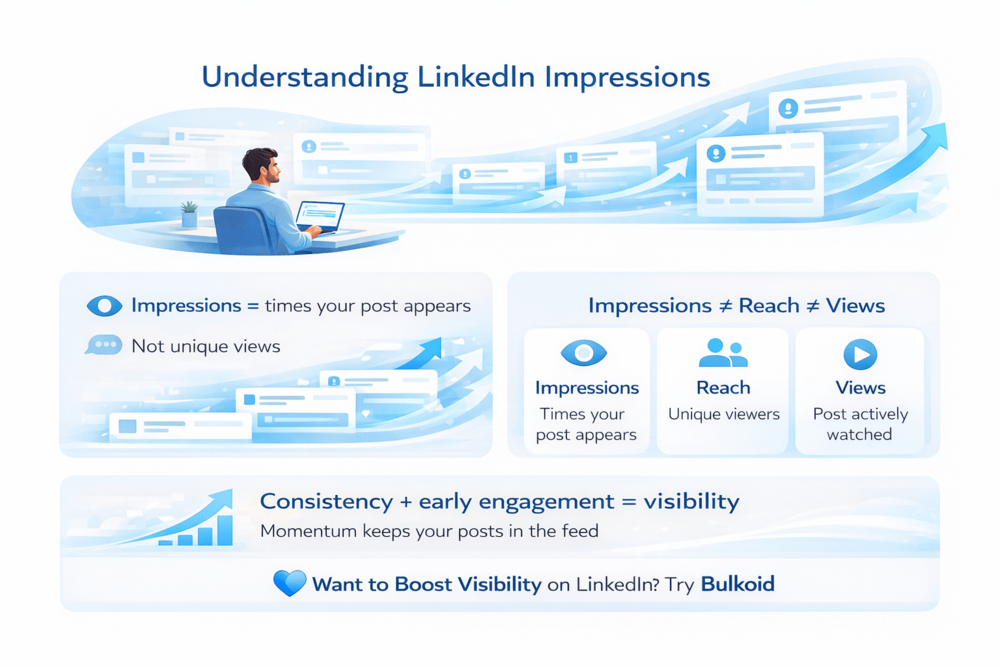
Impressions measure how often your content appears on someone’s screen. They do not tell you who clicked, liked, or commented, but they do show how visible your post is inside the feed.
Once you understand how impressions work, it becomes much easier to judge your reach, your content momentum, and how LinkedIn distributes what you share.
What Are Impressions on LinkedIn?
Impressions on LinkedIn count how many times your post is shown on a screen. Every time your content appears in someone’s feed, search results, or profile activity, it can register as an impression.
An impression can come from several places across the platform, including:
- The LinkedIn home feed
- Search results
- Hashtag feeds
- Profile or company page activity
One important thing to understand is that impressions are not unique. If the same person scrolls past your post more than once, each appearance can be counted. This is why impression numbers often feel high compared to likes or comments.
You can see impressions directly on each post under the analytics section. They give you a quick visibility snapshot and help you understand how often LinkedIn decides to show your content. To make sense of those numbers, it helps to know how LinkedIn actually counts impressions and why they matter.
How LinkedIn Counts Impressions and Why They Matter

Impressions start small
When you publish a post, LinkedIn does not push it to your entire network. Your content is shown to a limited group first, and impressions begin forming from that initial exposure.
LinkedIn also offers different visibility signals depending on account type, which is why some users notice changes after upgrading or adjusting their settings.
This is where how LinkedIn Premium affects profile visibility and analytics becomes relevant for creators who want deeper insight into how their content is distributed.
Visibility grows in stages
As people scroll, pause, or interact, LinkedIn evaluates the post. If performance stays strong, the platform continues surfacing it to new users. If interest drops, distribution slows. This is why impressions often rise gradually rather than all at once.
Impressions reflect distribution, not engagement
A post can generate impressions without receiving likes or comments. That does not mean it failed. It means LinkedIn is still testing where and how often the content should appear.
LinkedIn impressions are closely tied to feed habits and professional curiosity, which explains why people keep coming back to LinkedIn content daily even when they are not actively engaging with posts.
Why this metric matters
Impressions show whether your content earns space in the feed over time. Steady impressions signal relevance and consistency, while sudden drops usually point to timing, format, or audience alignment issues.
LinkedIn Impressions vs Reach vs Views
Impressions, reach, and views are often mixed up because they all relate to visibility. The difference is that each metric answers a different question about how your content performs.
Here’s how they compare in simple terms:
| Metric | What it actually measures |
| Impressions | How many times your content appears on a screen |
| Reach | How many unique users saw your content |
| Views | How many times your content was actively opened or watched |
Impressions are the broadest metric. They show exposure, even when someone scrolls past without interacting. Reach narrows that down to unique people, while views usually require a clearer action, such as opening a post, clicking a document, or watching a video.
This is why impressions are often higher than reach and views. One person can generate multiple impressions, but they only count once toward reach.
These differences become even more noticeable for businesses, since how company pages generate impressions differently from personal profiles affects how content is surfaced, measured, and optimized over time.
Once the metrics are clear, the next step is knowing where LinkedIn shows these numbers and how to track them properly.
Where to See LinkedIn Impressions in Analytics

LinkedIn shows impression data in a few different places, depending on the type of account you are using. Knowing where to look helps you avoid guessing and lets you track visibility more accurately.
Post-level analytics
Every post displays its impression count directly beneath it. Clicking into post analytics gives you a deeper view of how that visibility developed over time.
When posts are promoted, impression tracking becomes even more important, which is why understanding how promoted posts influence impressions and engagement metrics helps avoid misreading performance data.
Profile analytics
Your profile analytics show overall impression trends across recent activity. This helps you understand whether your visibility is growing consistently or fluctuating week to week.
Company page analytics
For company pages, impressions are tracked across posts, updates, and page activity. These numbers are especially useful when measuring brand awareness rather than direct engagement.
Impressions on their own do not tell the full story, but they provide the baseline for understanding how your content is being distributed. Once you know where to find them, it becomes easier to spot patterns and identify what actually affects your reach.
What Affects Your LinkedIn Impressions
Several factors influence how often LinkedIn decides to show your content. Most of them are tied to behavior, not luck.
Posting consistency: Accounts that post regularly tend to earn more stable impressions. Inconsistent posting often leads to uneven visibility, even when content quality is solid.
Early activity: The first reactions and comments matter. When a post receives engagement shortly after publishing, LinkedIn is more likely to continue distributing it.
Content format: Some formats naturally hold attention longer. Text posts, carousels, and native video often perform differently, which directly affects how impressions build over time.
Audience relevance: LinkedIn prioritizes content that feels relevant to the people seeing it. Posts that match your network’s interests usually stay visible longer than generic updates.
Timing and feed competition: When you post also plays a role. Busy feed periods can limit early exposure, while quieter windows may give your post more room to circulate.
Understanding these factors helps you interpret impression changes more accurately.
LinkedIn’s focus on professional identity, networking, and visibility explains why LinkedIn has become so addictive for professionals, and why impression counts often rise without direct interaction.
Instead of guessing why visibility drops or spikes, you can trace it back to specific posting choices, which makes improvement far more predictable.
How to Increase LinkedIn Impressions and Build Early Visibility

Increasing impressions on LinkedIn is less about tricks and more about creating the right conditions for distribution. Small changes in how you post can make a noticeable difference in how often your content appears.
Write for the feed, not for clicks
Posts that are easy to read while scrolling tend to earn more impressions. Short paragraphs, clear ideas, and a strong opening line help your content stay visible longer.
Encourage early interaction naturally
Questions, opinions, and timely topics invite responses without forcing engagement. Early activity gives LinkedIn a reason to keep showing your post.
Stay consistent, even when numbers fluctuate
Impressions often rise and fall before they stabilize. Posting regularly helps LinkedIn understand your audience and improves long-term visibility.
Support early momentum when needed
When visibility matters, such as for announcements or important updates, early engagement can help a post avoid getting buried. Some creators use visibility support tools like Bulkoid to help their content gain traction at the start, especially when organic reach is limited.
Building impressions is about momentum, not overnight spikes. When your posts consistently earn space in the feed, visibility becomes more predictable and easier to scale.
Final Thoughts
Impressions on LinkedIn are not just numbers. They show how often your content appears in the feed and how much visibility LinkedIn is willing to give your posts. When you understand impressions, it becomes easier to spot what works and why some posts travel further than others.
Visibility alone is not always enough. Early interaction plays a big role in whether a post keeps circulating or fades quickly. That is why momentum matters, especially right after publishing.
👉 Want to Boost Visibility on LinkedIn?
Publishing is only the first step. If you want your posts to look active, credible, and worth engaging with, Bulkoid can help.
Bulkoid offers LinkedIn likes designed to support early engagement and visibility, helping your content stay in the feed longer and reach more people while it matters most.