
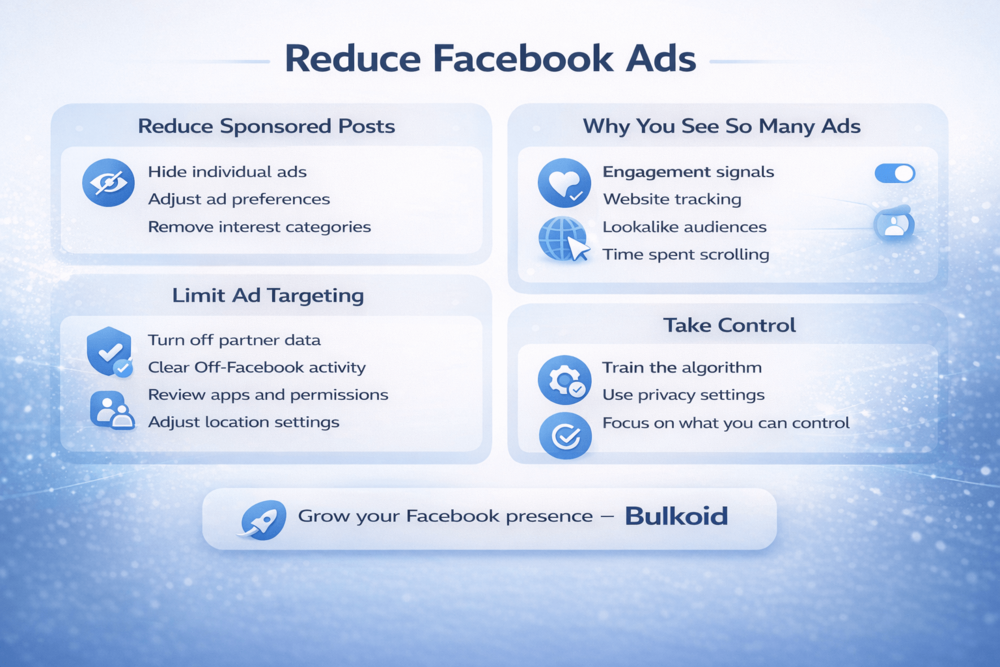
How to get rid of ads on Facebook is something many people search after seeing too many sponsored posts in their feed. You open the app to check on friends, and instead you get ads that feel repetitive, irrelevant, or just overwhelming.
Here’s the reality. You cannot completely remove ads from Facebook. The platform depends on advertising. But you can reduce how personalized they are, limit tracking, and block specific advertisers.
In this guide, you’ll learn exactly what you can control and how to make your Facebook experience feel less ad-driven without deleting your account.
How to Get Rid of Ads on Facebook (Step-by-Step)
You cannot remove ads entirely, but you can reduce how relevant they are and limit how often certain advertisers appear. These steps work on both desktop and mobile, although some menu names may look slightly different.
1. Hide Individual Ads
Start with the simplest method.
When you see a sponsored post:
- Click the three dots in the top right corner
- Select Hide ad
- Choose a reason
This tells Facebook you do not want to see that type of content. It does not remove all ads, but it helps the algorithm adjust what it shows you over time.
If you repeatedly hide similar ads, Facebook gradually reduces those categories in your feed.
2. Adjust Your Ad Preferences
This is where you gain more control.
Go to:
Settings → Ad Preferences
Inside this section, you can review:
- Advertisers you’ve interacted with
- Topics Facebook thinks you are interested in
- Data used to show you ads
- Activity from partners
Take time to remove advertisers you no longer want to see. You can block them directly from this panel.
You can also review how Facebook uses your activity, including websites you visit outside the platform.
3. Remove Assigned Interest Categories
Facebook automatically assigns interest categories to your profile based on your behavior. These categories drive most of the ads you see.
Inside Ad Preferences → Ad Topics, you can:
- Review interests
- Remove ones that do not apply
- Limit specific sensitive topics
If you see interests that feel completely wrong, delete them. This directly affects how ads are targeted to you.
4. Clear and Manage Off-Facebook Activity
Many ads follow you because of websites you visit.
To manage this:
- Go to Settings
- Find Off-Facebook Activity
- Clear history
- Disconnect future activity if available
This reduces retargeting ads based on your browsing behavior.
It does not stop all ads, but it limits how much external data shapes what you see.
5. Limit Sensitive Ad Categories
Facebook allows you to limit ads related to certain topics, such as:
- Alcohol
- Parenting
- Politics
- Weight loss
Inside Ad Preferences, you can choose to see fewer ads about these subjects.
This does not remove them entirely, but it reduces frequency.
These steps will not eliminate ads from Facebook. But if you apply them consistently, your feed will start feeling less cluttered and less intrusive.
Why You See So Many Ads on Facebook

If it feels like Facebook is showing you more ads than before, you’re not imagining it. The platform constantly optimizes ad placement to maximize engagement and revenue.
Here’s what drives the ads you see.
Your Engagement Signals
Every time you:
- Like a post
- Click a link
- Watch a video
- Comment on something
- Visit a business page
Facebook records that behavior. Even pausing on a post for a few seconds sends a signal.
Advertisers then target users who show similar patterns. That’s why one quick click on a product can suddenly lead to days of similar ads.
Website Tracking and Retargeting
Many websites use tracking tools like the Facebook Pixel. When you visit those sites, they can send data back to Facebook.
That’s how retargeting works.
You browse shoes on one website, leave without buying, and later see ads for the exact same shoes in your feed. It feels intrusive, but it’s automated advertising logic.
Lookalike Audiences
Even if you never interacted with a brand, you might still see its ads.
Advertisers create “lookalike audiences” based on people who already buy from them. If your behavior matches that audience profile, Facebook may show you those ads too.
So sometimes it’s not about what you clicked. It’s about how your behavior compares to others.
Time Spent on the Platform
The more time you spend on Facebook, the more ad placements you’ll encounter.
The platform inserts ads between organic Facebook posts in your feed, inside Stories, in Reels, and in the Marketplace. More scrolling means more ad opportunities.
Understanding this helps set expectations. Facebook ads are not random. They are built around behavior, tracking data, and predictive targeting.
Now let’s look at practical ways to reduce how dominant ads feel in your feed, including algorithm adjustments and ad blockers.
How to Reduce Ads in Your Feed (Algorithm + Ad Blockers)
You cannot eliminate ads completely, but you can make them less dominant in your feed. This section focuses on two things: changing your behavior signals and using external tools.
Adjust Your Feed Behavior
Facebook’s algorithm reacts to what you interact with. If you want fewer ads to feel relevant or repetitive, you need to adjust your signals.
Here’s what helps:
Engage more with friends and groups: Like, comment, and interact with personal content. This increases organic posts in your feed.
Use the Favorites feed: Add close friends or pages to Favorites. This prioritizes their posts over sponsored content.
Avoid clicking ads out of curiosity: Even clicking just to “check something” strengthens the targeting profile.
Stop watching ad videos fully: If you consistently watch sponsored videos, Facebook assumes you’re interested.
Clear your browsing history regularly: This reduces retargeting ads tied to recent website visits.
Over time, these small adjustments shift what dominates your feed.
Do Ad Blockers Work on Facebook?
On desktop, some browser extensions can hide sponsored posts. They filter out certain ad elements from your feed.
However:
- They do not work inside the Facebook mobile app
- Facebook frequently updates its code to bypass blockers
- Some blockers break page layout or slow performance
Ad blockers reduce visibility of ads, but they do not stop Facebook from serving them.
If you primarily use Facebook on mobile, ad blockers will have very limited impact.
Privacy Settings That Limit Ad Targeting

If you want to reduce how precisely Facebook targets you, adjusting privacy settings makes a noticeable difference. You will still see ads, but they may feel less personal and less repetitive.
Here’s what to review.
Turn Off Data From Partners
Facebook collects data not only from your activity on the platform, but also from businesses and websites you interact with.
Go to:
Settings → Ad Preferences → Activity from ad partners
From there, you can:
- Review which businesses shared your data
- Disconnect future activity
- Clear previous partner data
This reduces retargeting based on external browsing.
Manage Off-Facebook Activity
Under Off-Facebook Activity, you can:
- Clear your activity history
- Disconnect future tracking
Clearing history does not delete your Facebook account data, but it removes the connection between external browsing and your ad profile.
This is one of the most effective steps for limiting Facebook ad personalization.
Review App and Website Permissions
Many apps and websites connect to Facebook for login or tracking.
Go to:
Settings → Apps and Websites
Remove anything you no longer use. Fewer connected apps means fewer data signals feeding into ad targeting.
Adjust Location Permissions
If location services are enabled, Facebook may use that data for local advertising.
On your phone:
- Open device settings
- Find Facebook
- Adjust location access
Limiting location tracking reduces hyper-local ad targeting.
Control Data Used for Ads
Inside Ad Preferences, you can also manage:
- Categories used to reach you
- Audience-based advertising
- Data about your activity
Review this section carefully. Remove interests that feel inaccurate or invasive.
These privacy adjustments will not remove ads entirely, but they significantly reduce how personalized and intrusive they feel.
Focus on Growth Instead of Fighting Ads
If you’re searching for how to get rid of ads on Facebook, you probably care about how your feed works and how visible content becomes.
Instead of fighting the ad system, you can also use it to your advantage.
If you’re building a page or growing a brand, early engagement plays a major role in reach. Facebook prioritizes posts that gain interaction quickly.
Bulkoid offers engagement and growth services designed to strengthen your visibility on Facebook. Stronger initial signals can help your content reach more people organically.
You cannot remove ads from the platform. But you can make sure your own posts compete effectively inside the same system.
Final Thoughts

Now you know how to get rid of ads on Facebook, or at least how to reduce and control them. You cannot remove ads completely, but you can limit tracking, adjust preferences, and block advertisers to make your feed feel less intrusive.
Facebook runs on advertising. That will not change.
But here’s the real shift. Instead of only trying to hide ads, you can focus on making your own content visible inside the same system.
🚀 Want your posts to stand out instead of getting buried?
Bulkoid helps boost Facebook engagement and visibility so your content has a stronger chance of reaching real users organically.
If ads dominate the feed, make sure your content competes inside it.