
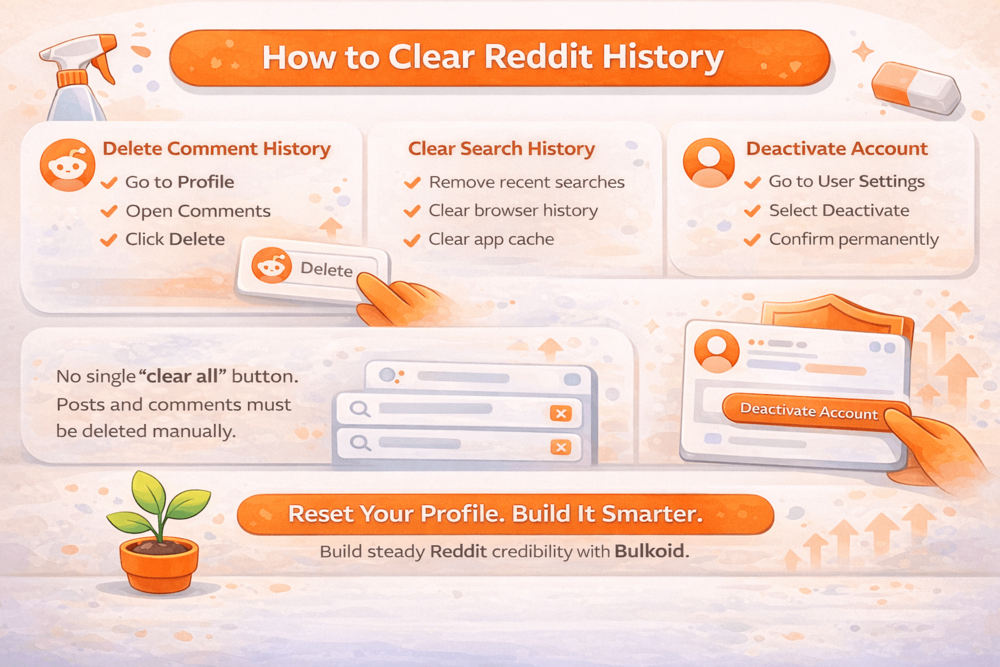
How to clear Reddit history is something many users search for when they want more privacy or a fresh start.
Whether you have old posts you regret, comments that no longer reflect your views, or simply want to reduce your digital footprint, cleaning up your Reddit activity can feel overwhelming at first.
The challenge is that Reddit does not offer a single button to erase everything at once. Posts, comments, search history and account data all work differently.
In this guide, you’ll see exactly how to clear Reddit history step by step on desktop and mobile, and what you should realistically expect when deleting your activity.
How to Clear Reddit Comment History
Clearing Reddit comment history takes more time than deleting posts because comments are spread across multiple threads and subreddits.
Just like posts, there is no built-in bulk delete option, so you will need to remove them individually.
On Desktop
- Log into your Reddit account.
- Click your profile icon in the top right corner.
- Select Profile.
- Go to the Comments tab.
- Open the comment you want to remove.
- Click the three dots below the comment.
- Select Delete and confirm.
The comment disappears immediately from the thread. However, the rest of the discussion remains visible, which can sometimes make replies look incomplete or confusing.
When reviewing older conversations, it also helps to understand how Reddit structures discussions around the original poster and nested replies. If you are unsure what “OP” means or how threads are organized, what OP means on Reddit and how Reddit slang works can give you helpful context before you clean up your comment history.
On the Reddit Mobile App
- Open the Reddit app and log in.
- Tap your profile icon.
- Tap My Profile.
- Go to the Comments section.
- Open the comment you want to delete.
- Tap the three dots.
- Select Delete and confirm.
Once deleted, the comment is removed from public view and you lose any karma associated with it. Keep in mind that if someone quoted your comment before you deleted it, that quoted text may still remain inside another reply.
If your goal is to fully clear Reddit history, you will need to repeat this process for each comment manually.
How to Clear Reddit Search History
If you want to fully clear Reddit history, do not forget about your search activity. Reddit keeps track of recent searches inside the platform, and your browser may also store visited pages separately.
Search history works differently depending on whether you are using desktop or the mobile app.
On Desktop
Reddit itself does not have a large searchable archive of your past searches inside account settings, but it does store recent searches in the search bar.
To clear them:
- Click inside the Reddit search bar at the top of the page.
- You will see recent searches appear in a dropdown.
- Click the small “X” next to individual searches to remove them.
This clears suggestions from Reddit’s interface.
However, your browser may still store your activity. To fully remove traces:
- Clear your browser history.
- Clear cookies and cached data if necessary.
- Log out and back in after clearing data.
Keep in mind that browser history and Reddit account activity are separate. Clearing one does not automatically clear the other.
On the Reddit Mobile App
To clear search history in the app:
- Open the Reddit app.
- Tap the search icon.
- Tap inside the search bar.
- Remove recent searches individually by tapping the “X” next to them.
If you want deeper cleanup, you may also need to:
- Clear the app cache through your phone settings.
- Log out of your account.
- Reinstall the app if necessary.
Clearing search history does not affect your posts, comments or karma. It only removes stored search suggestions from your device or app interface.
How to Clear Reddit Account Data
Deleting posts and comments helps reduce your public footprint, but it does not automatically remove all account data. If you want a deeper reset, you may need to deactivate your Reddit account.
Before taking that step, it is important to understand what account deletion actually does and what it does not do.
Platforms like Reddit operate at massive scale and face ongoing pressure to improve oversight and user protections. As highlighted in recent BBC reporting on Reddit’s content moderation challenges, managing user-generated content and safety remains an evolving issue.
How to Deactivate Your Reddit Account
On Desktop:
- Log into your Reddit account.
- Click your profile icon in the top right corner.
- Go to User Settings.
- Scroll down to the bottom of the page.
- Click Deactivate Account.
- Enter your username and password.
- Confirm the deactivation.
On Mobile Browser:
Reddit does not allow full account deletion directly inside the mobile app. You will need to log in through a browser and follow the same steps listed above.
What Happens After You Deactivate
When you deactivate your Reddit account:
- Your profile becomes permanently inaccessible.
- Your username is removed from future activity.
- You cannot reactivate the account later.
However, previously posted comments and submissions may remain visible in threads, but they will appear as coming from a deleted account instead of your username.
If your goal is to clear Reddit history as thoroughly as possible, it is recommended to delete posts and comments manually before deactivating your account. Once the account is gone, you cannot go back and clean up remaining content.
Deactivation is permanent. Make sure you have downloaded any data you want to keep before confirming the process.
Why Clearing Reddit History Matters

Reddit may feel anonymous, but your profile tells a story. Anyone can open your account and scroll through years of posts and comments in seconds. Old arguments, controversial takes or low-effort content can shape how others see you today.
Privacy concerns are also becoming more serious across major platforms. In fact, Reddit was fined nearly $20 million over data protection concerns, which shows how closely user data and compliance are monitored at a global level. While you may not control platform policies, you do control what appears on your profile.
Once your account reflects your current standards, you can focus on building credibility instead of managing damage. If growth is your goal, understanding how to get karma on Reddit helps you build trust the right way. After your foundation is clean, services like Bulkoid can support consistent, reputation-focused growth.
Final Thoughts

Clearing Reddit history is about control. Over time, posts and comments add up, and reviewing them lets you decide what still represents you.
You may not erase every trace, but you can greatly reduce what others see. Once your profile reflects your current standards, you can focus on growth instead of cleanup.
👉 Ready to Grow After Your Reset?
After you clean up your account, do not leave it stagnant. Build it intentionally. With Bulkoid, you can support steady, credibility-focused Reddit growth that aligns with your long-term goals.
Start clean. Grow smarter.