You post an Instagram Story and start watching the views roll in. Then the question pops up. Did someone screenshot this?
It’s a common thought, especially when you share something personal or time-sensitive. Instagram shows you a lot of activity, but it doesn’t always make it clear what’s being tracked and what isn’t.
In this guide, we’ll clear things up. You’ll learn whether Instagram notifies you about Story screenshots, why this question keeps coming up, and what you can actually see instead. No guessing, just how it works.
Does Instagram Notify You When Someone Screenshots Your Story?
Short answer: no.
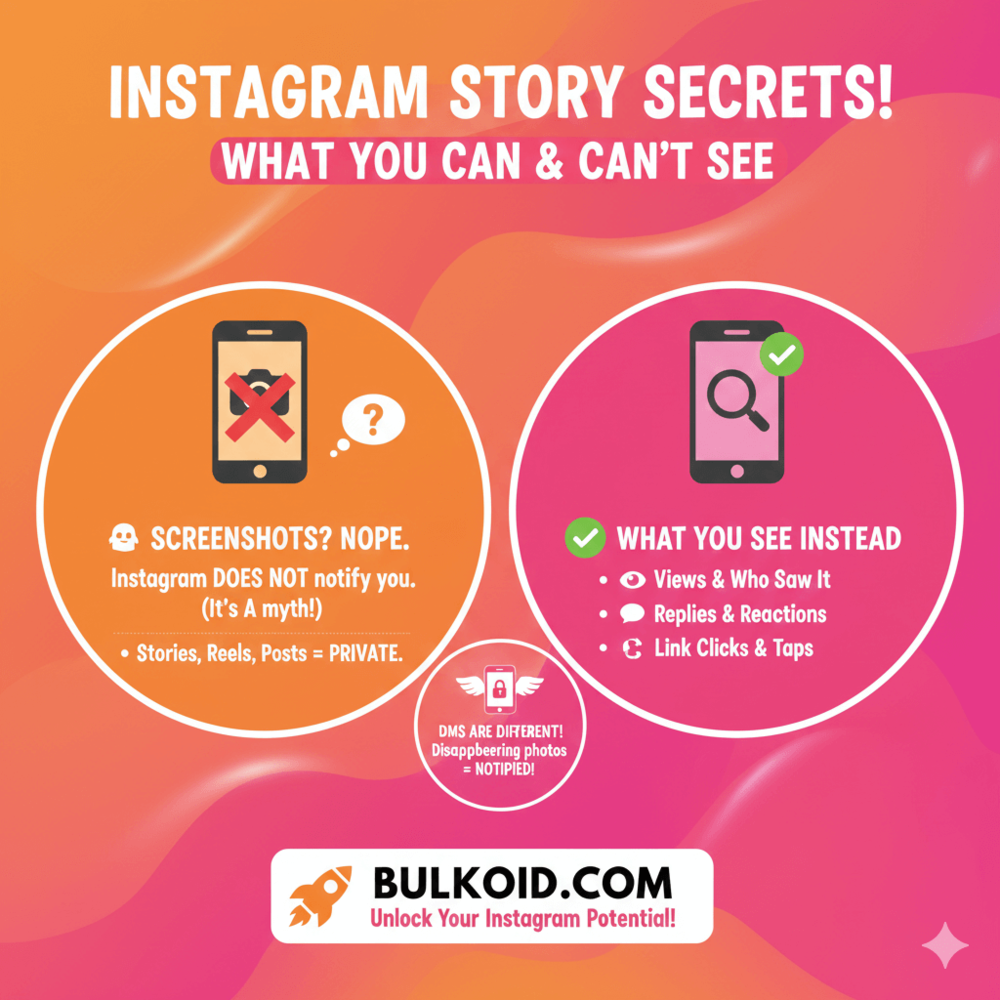
Instagram does not notify you when someone screenshots your Story. There’s no alert, no hidden icon, and no extra name added to your viewer list.
If someone takes a screenshot or records your Story, Instagram keeps it to itself.
To be clear, this applies to:
- Personal accounts
- Creator accounts
- Business accounts
Your Story insights won’t change, and nothing new appears after a screenshot happens.
Why this confuses so many people
This question keeps coming up because Instagram has tested screenshot notifications in the past.
Those tests never became a permanent feature, but the rumors stuck around. Over time, they turned into “Instagram definitely tells you” posts that are still floating around online.
Reliable sources, including what Linktree says about Instagram’s screenshot notifications, confirm that Story screenshots are not tracked or shared with creators.
Stories vs Other Instagram Features: What Gets Tracked and What Doesn’t
One reason this topic feels so confusing is that Instagram tracks some actions very clearly and others not at all.
Screenshots fall into that second category, but not across every feature.
Instagram Stories
For Stories, Instagram shows you:
- Who viewed your Story
- Replies and reactions
- Taps forward, back, and exits
What you don’t see is whether someone screenshots or screen-records it. Even if a viewer saves your Story for later, Instagram keeps that private.
Feed posts and Reels
The same rule applies here. If someone screenshots a post or a Reel, you won’t get a notification.
Instagram focuses on public engagement like likes, comments, shares, and saves, not private actions.
Profiles and highlights
Screenshots of profiles, bios, or Story highlights also stay invisible.
You can’t see who viewed your profile or who saved a snapshot of it. If you want to limit someone’s access entirely, that’s where tools like blocking come in.
Understanding how blocking changes what someone can see on your profile helps clarify what Instagram actually lets you control.
Why Instagram works this way
Instagram is built around engagement, not surveillance. The platform prioritizes actions that affect reach and visibility, while private behaviors stay private.
All of this makes it seem like screenshots are completely invisible on Instagram. And for the most part, they are.
But there is one area where Instagram treats screenshots differently, and it catches a lot of people off guard.
Direct Messages: The One Place Screenshots Do Matter
Direct messages are the one area where Instagram actually does something different with screenshots.
If you send a disappearing photo or video in DMs, Instagram will notify the sender if the recipient takes a screenshot or screen-records it.
This applies to content sent using:
- View Once
- Allow Replay
In these cases, Instagram shows a small notification in the chat, letting the sender know that the content was captured.
What doesn’t trigger a notification
Not every message in DMs works this way. Instagram does not notify you if someone screenshots:
- Regular text messages
- Photos or videos sent from the camera roll
- Shared posts, Reels, or Stories
So if you send a normal image or just chat back and forth, screenshots stay invisible, just like they do in Stories.
Why Instagram treats DMs differently
Disappearing messages are designed with privacy in mind. Since they’re meant to vanish after viewing, Instagram adds an extra layer of transparency when someone saves them.
Outside of that specific use case, Instagram sticks to its usual approach. Private actions stay private. Yet plenty of apps and tools still claim they can reveal exactly who saved your content.
Can Apps or Tools Tell You Who Took a Screenshot?
Short answer: no.
Long answer: still no, and here’s why.
If an app claims it can show you who screenshots your Instagram Stories, that’s a red flag. Instagram does not share screenshot data with users or external tools.
Without access to that information, these apps have nothing accurate to report.
Why screenshot-tracking apps don’t work
Most of these tools rely on one of three things:
- Guesswork based on profile visits or Story views
- Repackaged insights you already see inside Instagram
- Misleading labels that make normal activity sound special
None of these can confirm screenshots.
The real risk behind these tools
Some apps go a step further and ask for sensitive access. That’s where problems start.
They may request:
- Your Instagram login details
- Full account permissions
- Access that allows posting or messaging on your behalf
Security specialists, including Bitdefender, recommend avoiding tools like this because they can compromise your account.
Their guide on Bitdefender’s advice on avoiding risky third-party Instagram tools explains how easily accounts can be exposed through unverified apps.
If Instagram doesn’t show it inside the app, no outside tool can safely reveal it.
What You Can See Instead: Real Engagement Signals
If screenshots aren’t visible, what does Instagram actually show you?
Quite a lot, honestly. And most of it is far more useful than knowing who saved an image quietly.
📊 Story insights that actually matter
When you open your Story analytics, Instagram gives you clear signals about how people interact with your content, including:
- Views – how many people watched your Story
- Replies and reactions – direct engagement that shows interest
- Taps forward and back – whether people skip or rewatch
- Exits – where viewers drop off
These actions tell you how engaging your Story is in real time. A rewatch or a reply often says more than a screenshot ever could.
Why screenshots aren’t the right metric anyway
A screenshot can mean a lot of things. Someone might save a recipe, keep a reminder, or plan to come back later. It doesn’t automatically signal interest, approval, or intent.
Engagement tells a clearer story. Replies, reactions, and consistent views show that people are paying attention in the moment, not just saving something quietly.
Timing plays a big role here too. If your Story views feel low or inconsistent, it’s often less about the content and more about when you posted it.
Sharing Stories when your audience is online makes a noticeable difference, which is why understanding posting when your audience is most active helps you get more reliable engagement signals you can actually use.
Using Instagram Stories Strategically (Without Worrying About Screenshots)
Once you understand that screenshots aren’t tracked, Stories become much easier to use with confidence.
Instead of second-guessing who might be saving your content, you can focus on creating Stories that invite interaction.
🎯 Design Stories for action, not speculation
The most effective Stories give viewers something to do. That might be replying, tapping, or clicking through to something useful.
Simple tactics that work:
- Ask a direct question using text or stickers
- Use polls or sliders to invite quick reactions
- Share updates that feel timely or exclusive
When people interact, Instagram shows you that clearly. You don’t need screenshots to measure interest.
🔗 Make Stories more useful with links
If your goal is to drive traffic or give viewers more context, links are far more valuable than silent saves. Stories that include clear calls to action tend to perform better because they guide viewers instead of leaving them guessing.
If you’re not already using them, learning about adding clickable links to your Stories can turn passive views into measurable results.
📈 Visibility makes Stories work better
Stories perform best when people actually see them. Consistent reach makes engagement easier because your audience recognizes and trusts your content over time.
If you’re exploring ways to improve reach, this breakdown of top sites for buying Instagram views explains what separates reliable services from low-quality options
Screenshots don’t influence reach. Engagement does.
When you focus on visibility, interaction, and consistency, Stories become a reliable growth tool instead of something to overthink.
What This Means for Your Instagram Stories
Instagram doesn’t show you who screenshots your Stories, and that’s okay. Screenshots aren’t a useful metric anyway. Engagement is.
When you focus on views, replies, and interactions, Stories become easier to use and far less stressful. Post with intention, track what Instagram actually shows you, and let the rest go.
👉 Want More Story Views?
Stories perform better when more people see them. If your views feel stuck, a visibility boost can help.
Bulkoid offers Instagram views designed to increase reach and support real engagement. More views, stronger signals, less guessing.