How to make your Twitter account private is a common question once you realize how public the platform is by default. Anyone can see your tweets unless you change your privacy settings.
Making your account private lets you choose who can follow you and who sees your posts. It’s a quick change, it’s fully reversible, and it gives you more control without deleting anything.
Below, we’ll show you exactly how to make your Twitter account private on mobile and desktop, plus what changes once the setting is on.
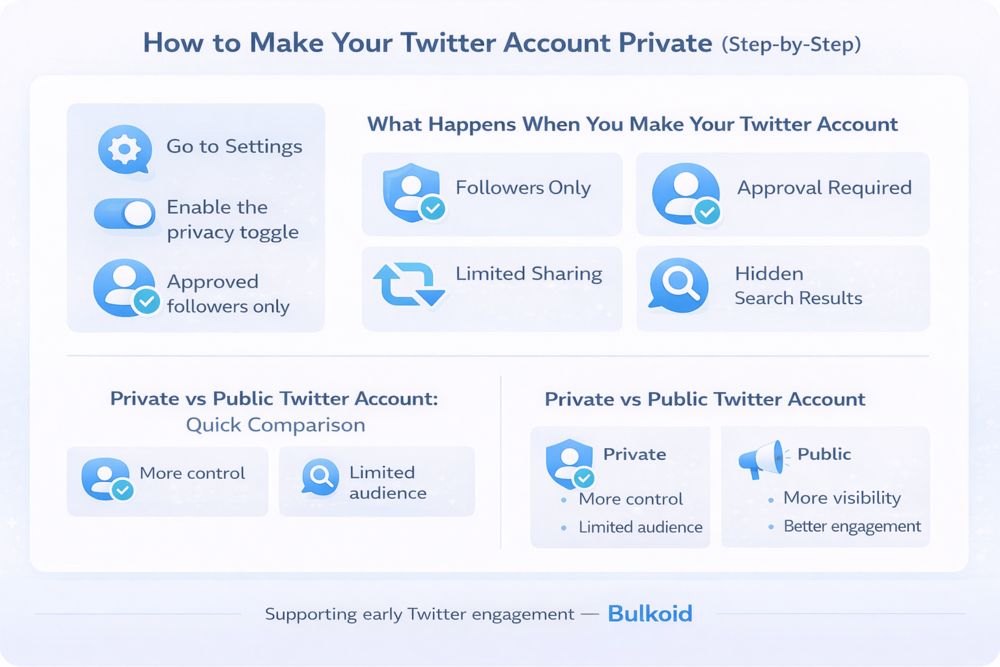
How to Make Your Twitter Account Private (Step-by-Step)
You can make your Twitter account private in just a few taps. The setting is called Protect your Tweets, and once it’s on, only people you approve can see your posts.
How to Make Your Twitter Account Private on Mobile (iOS & Android)
- Open the Twitter (X) app and log in
- Tap your profile icon in the top-left corner
- Go to Settings and privacy
- Select Privacy and safety
- Tap Audience and tagging
- Turn on Protect your Tweets
- Confirm your choice
Your account becomes private immediately. New followers will need your approval before they can see your tweets.
How to Make Your Twitter Account Private on Desktop
- Log in to Twitter (X) in your browser
- Click More in the left-hand menu
- Open Settings and privacy
- Select Privacy and safety
- Click Audience and tagging
- Enable Protect your Tweets
- Confirm when prompted
Once this setting is on, your tweets stop appearing publicly and are limited to approved followers only.
That change affects more than just who can read your posts. This is why it’s helpful to understand exactly what happens after you make your Twitter account private.
What Happens When You Make Your Twitter Account Private
After you turn on Protect your Tweets, your account works differently in a few important ways. Nothing gets deleted, but who can see and interact with your content becomes more limited.
Many users start thinking about privacy after learning more about what data Twitter collects, including engagement activity, device information, and usage patterns.
Here’s what changes once your Twitter account is private:
Only approved followers can see your tweets: People who don’t follow you won’t see your posts, replies, or media.
New followers need approval: Anyone who wants to follow you must send a request, and you decide whether to accept or ignore it.
Your tweets stop appearing in search results: Private tweets don’t show up in Twitter search or on public profile pages.
Replies stay visible only to followers: When you reply to a public account, only your approved followers can see that reply.
Retweets and sharing are limited: Other users can’t retweet your posts. They can like them, but only followers will see that activity.
A private account limits who can see your tweets, but it’s not the only way to control visibility. Some users prefer smaller adjustments, like hiding their likes, especially if they want more privacy without restricting their entire profile.
For others, it helps to know how easy it is to switch back if priorities change.
How to Switch Back to a Public Twitter Account
Making your Twitter account private isn’t permanent. You can switch back to a public account at any time using the same settings.
To make your Twitter account public again:
- Go to Settings and privacy
- Select Privacy and safety
- Open Audience and tagging
- Turn off Protect your Tweets
- Confirm the change
Once you turn this setting off, your tweets become visible to everyone again. New posts will appear in search results, public timelines, and on your profile.
It’s worth noting that tweets you shared while your account was private remain protected unless you post them again publicly.
Privacy settings don’t remove ads from your feed, which is why many users also look for ways to reduce promotional clutter and make Twitter feel less overwhelming overall.
With that in mind, the choice between a private and public account comes down to how much visibility you want at any given time.
Private vs Public Twitter Account: Quick Comparison
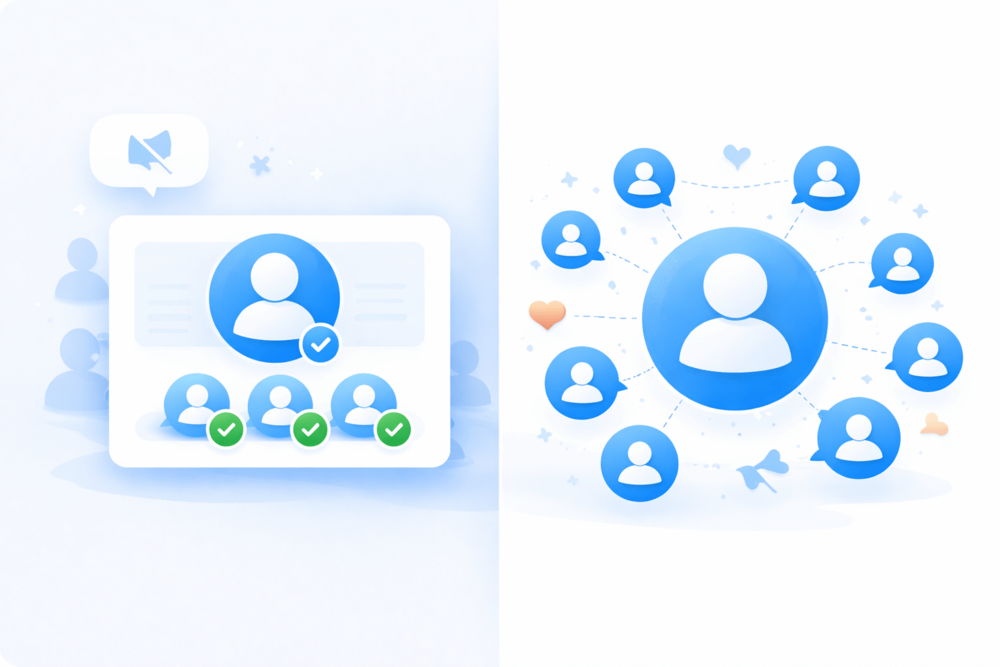
Choosing between a private and public Twitter account comes down to how much control and visibility you want.
Both options have their place, depending on how you use the platform.
| Private Twitter Account | Public Twitter Account |
| Only approved followers can see your tweets | Anyone can view your tweets |
| New followers must request approval | Anyone can follow instantly |
| Tweets do not appear in search results | Tweets can appear in search and explore |
| Retweets are disabled | Tweets can be retweeted and shared |
| Engagement stays limited to followers | Engagement can grow organically |
| Best for personal use and privacy | Best for visibility and reach |
Neither option is better by default. A private account favors control and comfort, while a public account supports reach and discoverability.
Twitter also offers features like Twitter Safe Mode, which automatically limits replies it detects as harmful. While Safe Mode filters interactions, a private account directly controls who can see and engage with your tweets.
When Making Your Twitter Account Private Makes Sense
Making your account private often works well if you:
- Use Twitter mainly for personal posts
- Want to avoid spam or unwanted replies
- Prefer sharing with a smaller circle
- Are testing content before going public
For some users, privacy settings alone do the job. Others combine them with smaller visibility controls, like muting certain words or limiting what activity appears on their profile, to shape a more comfortable Twitter experience.
Visibility, Growth & Privacy
A private Twitter account gives you more control, but it also limits reach. Your tweets won’t appear in search results or public timelines, which naturally slows visibility.
Many users start private and switch back to public later. When that happens, early engagement matters because it helps tweets reach more people.
Bulkoid supports this stage by helping public accounts strengthen early visibility and engagement. It works alongside real content, not as a replacement for it.
Privacy protects your space. Visibility supports growth when you’re ready.
Final Thoughts
Making your Twitter account private is a simple way to take control of who sees your content. You can switch the setting on or off at any time, depending on whether privacy or visibility matters more at that moment.
If you decide to keep your account public or switch back later, early engagement plays a big role in how far your tweets go.
🚀 Going public again? Don’t start from zero.
Buy Twitter likes with Bulkoid and give your tweets the boost they need to get noticed fast.
If you want it even punchier or slightly softer, I can tweak the tone in seconds.