How to make a LinkedIn page for a company is a common question for businesses that want to look more professional and visible online.
A LinkedIn company page gives your brand a clear presence where people can learn what you do, follow your updates and trust that your business is active.
The setup process is simple, but knowing what to add and how to structure your page makes a big difference.
In this guide, you will learn how to create a LinkedIn company page that looks polished, works for your business and is ready to grow.
What Is a LinkedIn Company Page?
A LinkedIn company page is your business’s official space on LinkedIn.
It represents your brand, not an individual and gives people a clear place to understand who you are and what you do.
What a company page lets you do
With a LinkedIn company page, you can:
- Post updates and announcements as your business
- Let people follow your brand without connecting personally
- Show what your company does in one clear place
- Appear more credible when someone searches your brand
Who should create one
LinkedIn company pages are not just for big teams. They work well for:
- Small businesses and startups
- Solo founders and freelancers with a brand
- Online businesses and agencies
- Growing companies that want visibility
Even a simple, well-filled page makes your business feel more established and easier to trust.
How it fits with your personal profile
Your personal LinkedIn profile still plays an important role. It helps build individual trust and relationships. The company page supports that by giving your brand a home people can follow, recognize and come back to.
Together, they create a stronger and more professional presence on LinkedIn.
What You Need Before Creating a LinkedIn Company Page

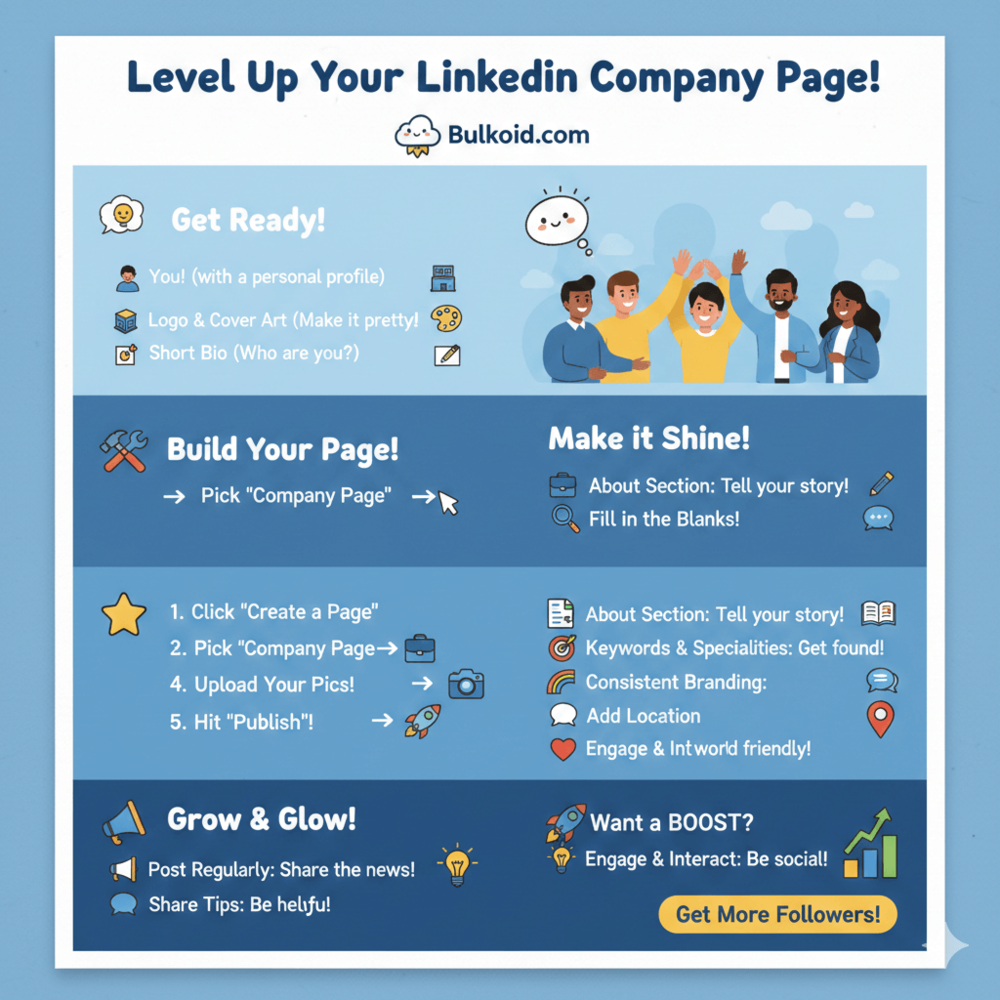
Before you create a LinkedIn company page, there are a few basics you need to have ready.
None of them are complicated, but having them prepared makes the setup faster and avoids having to redo things later.
👤 A personal LinkedIn profile
LinkedIn requires a personal profile to create and manage a company page. This profile becomes the page admin, even though the page itself represents the business.
Keeping your personal profile updated also supports your company page, especially when visitors want to see who is behind the brand.
This often includes adding experience details or uploading a resume so your profile feels complete and trustworthy.
🏢 Your company’s basic information
You will need a few core details during setup:
- Company name
- Website URL (optional, but recommended)
- Industry
- Company size
- Business type
These details help LinkedIn understand what your business is about and where to show your page.
🎨 A logo and cover image
Your logo is required to publish the page, so have it ready beforehand. A simple, clear logo works best, especially at small sizes.
The cover image is optional but strongly recommended, as it helps your page feel complete and intentional.
✍️ A short company description
LinkedIn asks for a brief description during setup. This does not need to be perfect, but it should clearly explain what your business does.
You can expand and optimize it later, but having a solid starting point makes your page easier to trust from day one.
How to Make a LinkedIn Page for a Company (Step-by-Step)
Setting up a LinkedIn company page is quick and straightforward. You do not need technical skills or a long setup process.
1️⃣ Start the page creation process
Log in to LinkedIn with your personal profile and choose the option to create a company page. This is where LinkedIn walks you through the setup.
2️⃣ Choose the company page type
Select the company page option that fits your business. For most brands, the standard company page is the right choice.
3️⃣ Add your company details
Enter your business name, industry and company information. These details help LinkedIn categorize your page correctly and improve discoverability.
4️⃣ Upload your branding
Add your logo and a banner image. Clean, consistent branding makes your page look more professional from the start.
5️⃣ Publish your page
Create the page once everything is filled in. You can edit and improve it later, so focus on getting the basics right.
Once your page is live, the next step is making sure it is optimized and ready to attract followers.
How to Optimize Your LinkedIn Company Page
Creating your page is only the first step.
Optimization helps your LinkedIn company page show up in searches and look more convincing to follow.
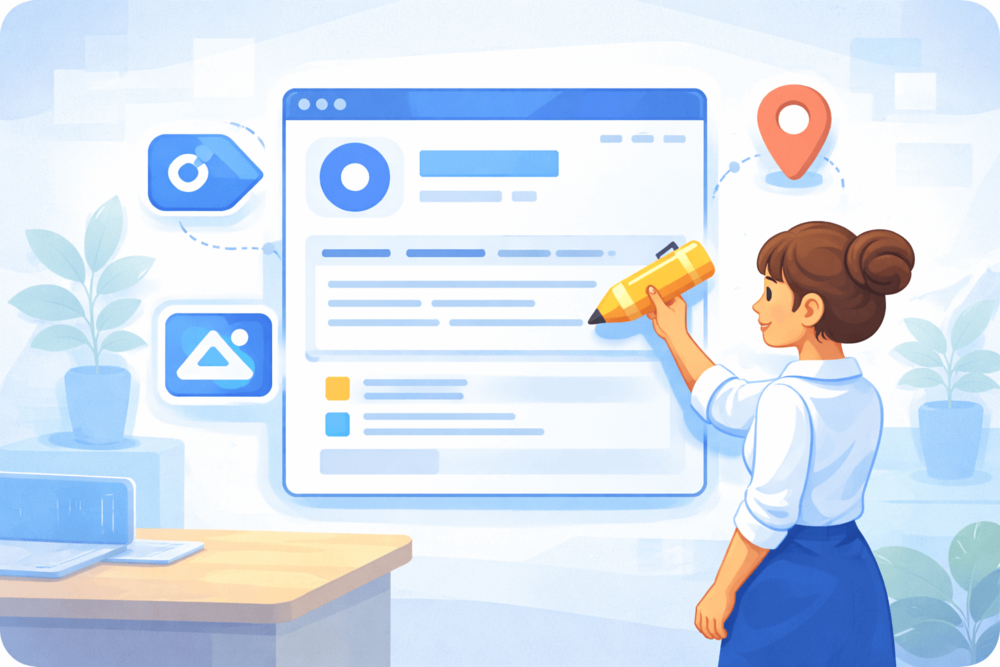
Write a clear “About” section: Explain what your business does, who it is for and how you help. Keep the language simple and natural and include relevant keywords without forcing them.
Choose the right industry and specialties: Selecting the correct industry helps LinkedIn categorize your page properly, while specialties add extra context and improve discoverability.
Keep your branding consistent: Use the same logo, colors and tone you use on your website and other social platforms so your page feels recognizable and intentional.
A strong company page works best when it aligns with the people behind it, including clear role updates and career milestones that reinforce your business credibility.
Add location and contact details: Including a location or service area makes your business feel more real and helps the right audience find you.
A well-optimized page feels complete and trustworthy, which makes people more likely to follow and engage with it.
What to Post After You Create Your Page
Once your LinkedIn company page is live, posting regularly helps it feel active and worth following. You do not need to post every day, but consistency makes a big difference.
- Company updates: Share announcements, launches, milestones or behind-the-scenes updates to show that your business is active.
- Helpful or educational content: Post tips, insights or short explanations related to your industry. Content that teaches or helps tends to perform better than pure promotion.
- Brand and culture posts: Highlight how your company works, what it values or what makes it different. These posts help humanize your brand.
- Engage with others: Commenting on posts and reacting as your company page helps increase visibility and signals activity.
LinkedIn favors pages that stay active and interact with others. According to LinkedIn usage and engagement statistics, businesses that post consistently are more likely to get noticed and followed over time.
Keeping your page active does not need to be complicated. A few well-chosen posts each month are enough to start building momentum.
How to Grow Your LinkedIn Company Page Faster
Growing a LinkedIn company page takes time, but a few smart moves can help speed things up without feeling forced.
- Invite the right people to follow your page
- Stay consistent with posting
- Engage as your company page
- Focus on early visibility
Some businesses also look into LinkedIn’s paid features as part of their growth strategy, especially when deciding whether extra visibility tools are worth the investment.
How Bulkoid Can Help With LinkedIn Growth
Building visibility from scratch can feel slow, especially for new company pages.
Bulkoid offers LinkedIn growth services designed to help company pages gain followers and appear more established while you continue posting and engaging naturally.
This kind of support works best when paired with a clear profile, consistent content and a page that already looks professional.
Final Thoughts
Creating a LinkedIn company page is a simple step that can make a big difference in how your business is perceived.
When your page is set up clearly, branded properly and kept active, it becomes a place people can trust and return to.
You do not need a large team or constant posting to make it work. Focus on clarity, consistency and showing up regularly. Over time, your LinkedIn company page becomes part of your brand’s credibility and visibility.
👉 Want Faster Growth on LinkedIn?
Bulkoid’s LinkedIn growth services are built to increase follower count and exposure so your company page looks active, established and worth following.
More followers mean stronger social proof, better reach and more chances for your content to be seen.