How to DM on Twitter is a common question for users who want to start a private conversation instead of replying in public. Whether you are messaging a friend, a creator, or a brand, the process is simple once you know where to look.
The only catch is that not every account accepts messages in the same way. In this guide, you will learn how to DM on Twitter, why some messages do not go through, and how to use DMs more effectively.
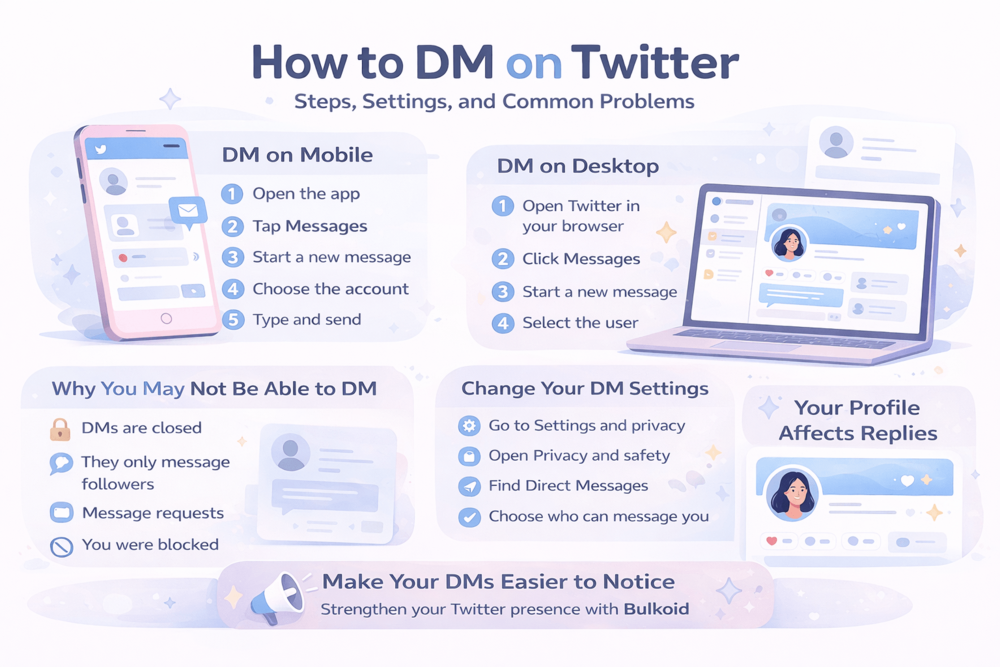
How to DM on Twitter on Mobile
If you use the app, sending a private message is quick and straightforward.
Follow these steps:
- Open the Twitter app and log into your account.
- Tap the Messages icon.
- Tap the icon to start a new message.
- Search for the person or account you want to contact.
- Select their profile from the results.
- Type your message and tap send.
That is the basic process, but there is one important detail. You will only be able to send a DM if that account allows messages from you. Some people keep their inbox open, while others only accept messages from followers or approved message requests.
If the Messages option does not appear, or the account cannot be selected, the issue is usually related to privacy settings rather than the app itself. That is where understanding Twitter’s messaging rules becomes important.
How to DM on Twitter on Desktop
If you are using Twitter in a browser, the steps are just as simple.
Follow these steps:
- Open Twitter and sign into your account.
- Click Messages in the left-hand menu.
- Click the icon to start a new message.
- Search for the person or brand you want to contact.
- Select the account from the list.
- Type your message and press send.
Desktop messaging is useful if you are reaching out for professional reasons, customer support, or creator partnerships, since it can feel easier to type and manage longer conversations on a full screen.
Even so, the same rule still applies. If someone’s settings do not allow messages from you, you may not be able to start the conversation at all.
Can You DM Anyone on Twitter? Common Restrictions and Reasons It May Not Work
This is where many users get confused. Even if you know exactly how to DM on Twitter, that does not always mean the platform will let you message every account.
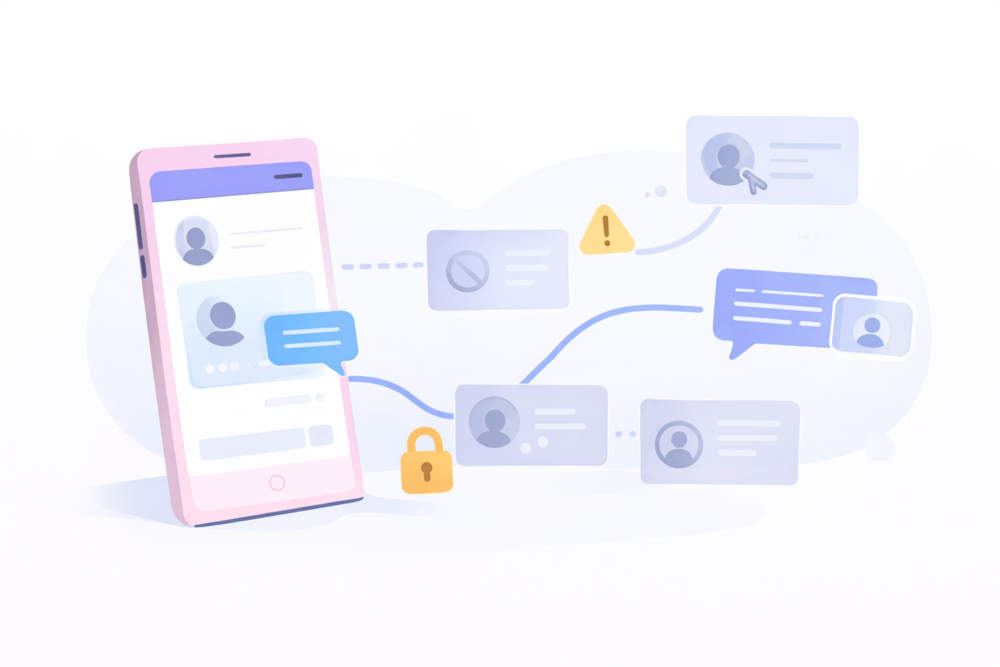
In general, whether you can send a DM depends on the other person’s privacy settings.
Here are the most common reasons a DM may not work:
- The user only accepts messages from people they follow
- Their DMs are closed to the public
- They only allow message requests
- You have been blocked
- The account is restricted or inactive
- The app or platform is having a temporary issue
Some accounts keep their inbox open to message requests, while others limit access to reduce spam, especially creators, public figures, and brands.
If the message button does not appear, the account likely is not set up to accept DMs from you.
For outreach, this matters because messaging depends as much on account settings as the message itself, and even profile-level changes can affect interactions, including what really happens when you remove a follower on X.
How to Change Your Twitter DM Settings
If you want more control over who can message you, Twitter lets you adjust your DM settings inside the privacy menu.
Here is how to change them:
- Open Settings and privacy
- Go to Privacy and safety
- Find the section for Direct Messages or message controls
- Choose who can send you message requests
- Save your preferences
These settings help you decide how open or private your inbox should be. If you want to avoid spam, stricter settings make sense. If you use Twitter for networking, customer contact, or creator outreach, opening your inbox more can make private conversations easier to start.
It is worth checking these settings once in a while, especially if you use the platform professionally or want to make it easier for people to contact you. X’s messaging system is also changing over time, with X’s newer chat features and DM changes showing how private communication on the platform is starting to go beyond the older DM model.
Tips for Sending Better Twitter DMs

Knowing how to DM on Twitter is one thing. Getting a reply is another.
A good DM should feel clear, relevant, and easy to answer. Most people ignore messages that look rushed, generic, or overly promotional.
A few simple tips can help:
- Keep it short
- Get to the point quickly
- Personalize the message when possible
- Be polite and professional
- Avoid spammy language or copy-paste intros
If you are messaging a creator, brand, or potential client, it helps to show right away why you are reaching out. A short message with context usually works better than a long introduction.
It also helps to think about how your profile looks before you send anything. People often check the account behind the message first, and small updates can make that first impression stronger, including changing your X handle without losing clarity.
Building a Stronger Profile Before You Send DMs
When a message comes from an unfamiliar account, many people check the profile before replying. That is why your bio, activity, and overall engagement can shape the conversation before your message gets much attention.
This matters even more for outreach, partnerships, or business, since a more active and credible profile usually feels easier to trust. It also helps to understand tracking Twitter analytics to see what drives replies, since engagement patterns and profile visits can tell you a lot about how people are responding to your content before you ever message them.
For some, that means posting more consistently and refining their branding. For others, it can also include using services like Bulkoid to strengthen their Twitter presence and make their account look more established.
That kind of social proof can make first impressions better, especially when you are reaching out to people who do not know you yet.
Conclusion

How to DM on Twitter becomes much easier once you understand where the feature is, who can receive your messages, and what settings control access.
Sending the message itself is simple, but getting results often depends on whether the other account accepts DMs and how your profile looks when they check it.
👉 Make Your DMs Easier to Notice
On Twitter, people judge the profile before the message.If your account looks inactive, even a solid DM can be ignored.
Bulkoid can help strengthen your Twitter presence, so your profile looks more active, credible, and worth replying to.