Changing your Twitter handle is a quick way to update your profile without losing followers.
Your handle is the @name people use to tag you, so choosing one that fits your identity makes your account easier to recognise.
Many of the most followed Twitter accounts keep their handles simple, which helps with visibility and branding.
In this guide, you’ll see how to change your handle on mobile and desktop, what happens afterward and what to do if the name you want isn’t available.
How to Change Your Twitter Handle (Mobile App)
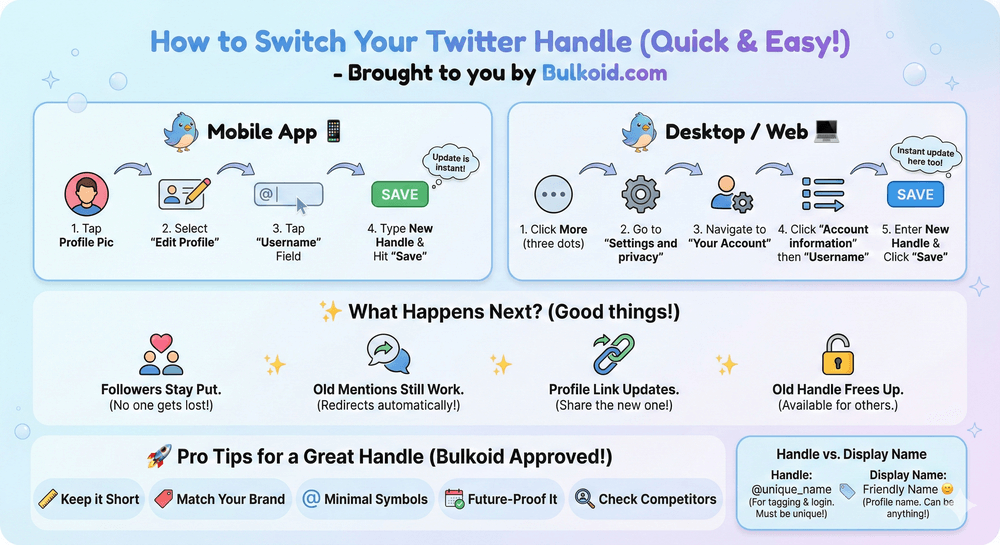
Changing your handle on the Twitter app only takes a few taps. Everything updates instantly, and your followers keep seeing your posts like before.
1. Open the Twitter app: Log in if you’re not already.
2. Go to your profile: Tap your profile picture in the top left, then choose Profile.
3. Tap Edit Profile: This opens your profile settings.
4. Select the Username field: You’ll see your current handle. Delete it and type the new one you want.
5. Save your changes: Tap Save in the top right. If the handle is available, it updates right away.
If the handle is taken, Twitter shows a small error message. You can try adding numbers or a slight variation. This is also a good moment to think about whether the change aligns with your long-term branding.
Tools like Twitter Analytics help you track how profile updates affect engagement, which can guide your next steps.
How to Change Your Twitter Handle (Desktop/Web)
It’s just as easy to update your handle on a computer. The steps are nearly the same, but the layout is a bit more spread out, which some people find easier to navigate.
1. Go to twitter.com and log in: Once you’re signed in, look for the side menu.
2. Open Settings and Support: Click the three dots, then choose Settings and privacy.
3. Go to Your Account: Select Account information to see the option for your handle.
4. Click Username: Your current handle appears here. Remove it and type the new one you want.
5. Save your new handle: Twitter lets you know immediately if the username is available. If it is, the change applies to your profile right away.
Updating your handle on desktop is helpful when you want to double-check how your new @name looks in your profile preview.
Tips for Choosing a Good Twitter Handle
A strong handle makes your profile easier to find and remember. If you’re updating it as part of a small rebrand, these simple tips help you choose something that fits long-term.
Keep it short and easy to read
Short handles look cleaner and are easier for people to type when they mention you.
Match your name or brand
Using the same handle across platforms helps people recognize you faster. It also keeps your analytics consistent if you’re tracking your growth with Twitter tools.
Avoid extra symbols
Numbers and underscores are fine when needed, but too many make the handle harder to remember.
Aim for something future-proof
Choose a handle you won’t want to change again soon. Frequent changes make it harder for people to find you.
Check what similar accounts use
Looking at how large creators shape their handles gives you a sense of what performs well. It’s the same idea behind browsing analytics to see which usernames or formats get more attention.
Twitter Handle vs Display Name

Many people mix these up, but they serve different purposes on your profile. Knowing the difference helps you update the right one.
| Twitter Handle (@username) | Display Name |
| Unique identifier for your account | The name shown at the top of your profile |
| Used in mentions and tags | Can include spaces and emojis |
| Must be available and follow Twitter rules | Doesn’t need to be unique |
| Helps people find or tag you | More flexible and easy to change anytime |
Your handle affects how people search for you, while your display name is more flexible. You can update it anytime without worrying about availability.
If you ever decide to step away from the platform, there’s also the option to delete your Twitter account entirely, which removes both your handle and your display name from the platform.
What Happens After You Change Your Twitter Handle
Your profile updates instantly, and most people won’t even notice the change unless they look closely. Here’s what to expect once you switch to a new @name.
Your followers stay the same: Changing your handle doesn’t remove followers or affect who you follow.
Your old mentions still work: Tags that used your previous handle redirect automatically, so older conversations aren’t lost.
Your profile link changes: Any links that point to your profile will use the new handle. If you share your profile elsewhere, make sure to update it.
Your old handle becomes available: Once you switch, your old @name can be claimed by someone else. If you want to keep it unused, consider creating a backup account and securing it there.
Your visibility stays normal: Updating your handle doesn’t reduce your reach. If something feels off after the change, it might be unrelated to the username.
Learning how to know if you are shadowbanned on Twitter can help you check whether a drop in engagement comes from something else.
Troubleshooting: Twitter Handle Taken or Not Allowed
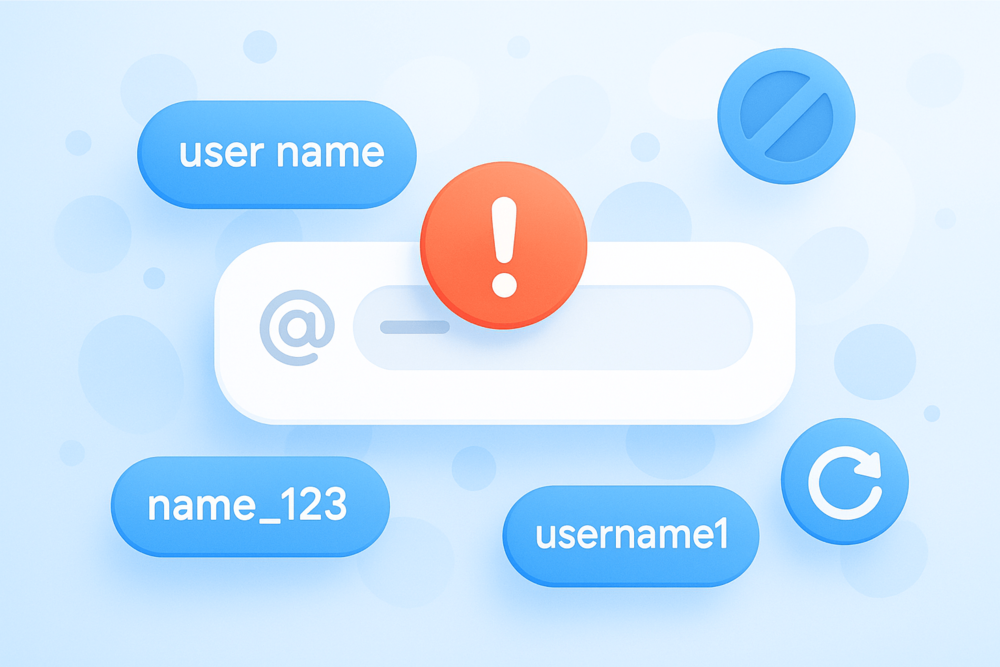
If Twitter won’t accept the handle you want, it’s usually for one of a few simple reasons. Here’s what you can try.
The handle is already taken
This is the most common issue. Try small variations like:
- Adding a short word
- Using a dot or underscore
- Adding your location or niche
- Keeping numbers minimal
The handle breaks Twitter’s rules
Twitter doesn’t allow certain terms, and some words are restricted to prevent impersonation. If you see an error, choose a simpler version of the name.
The handle is too long
Twitter limits usernames to 15 characters. Shorten it until it fits.
Your account needs to refresh
Occasionally, the app doesn’t update availability right away. Switching from mobile to desktop (or the other way around) usually fixes it.
Changing Your Twitter Handle: Final Thoughts

Changing your Twitter handle is quick, and it gives your profile a cleaner, more updated look. Whether you’re rebranding or just choosing something that feels more like you, the steps are simple on both mobile and desktop.
A fresh handle can also make your profile easier to recognise, especially when you’re trying to grow. If you want to give your account a small boost after updating it, early engagement can help your posts reach more people.
👉 Want stronger visibility after your handle change?
Give your tweets a lift with real Twitter likes. It’s a simple way to keep your profile active and help your new username gain attention naturally.
A consistent handle paired with steady engagement works well no matter your niche.