
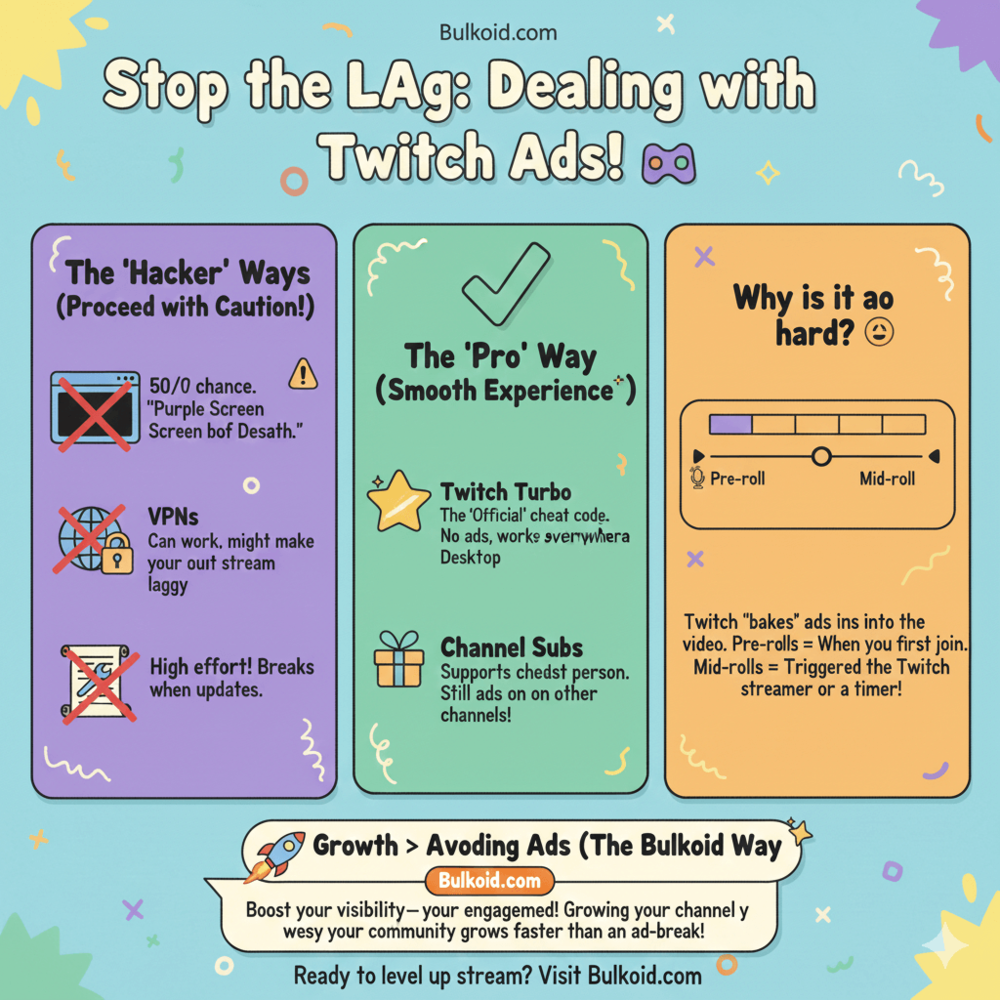
How to block Twitch ads is a common question for viewers who are tired of streams being interrupted by pre-rolls and mid-rolls.
Twitch depends on ads to support the platform and its creators, which is why they’re hard to avoid and why many ad-blocking methods stop working over time.
In this guide, you’ll see what actually works to block or reduce Twitch ads, what doesn’t and what to realistically expect on desktop and mobile.
Common Ways People Try to Block Twitch Ads
When viewers look for ways to block Twitch ads, most end up trying one of a few common approaches. Some work temporarily, others reduce ads slightly and a few create more problems than they solve. Knowing what to expect upfront saves a lot of frustration.
Browser Ad Blockers
Browser ad blockers are usually the first thing people try. While they work well on many websites, Twitch is much harder to block.
What usually happens:
- Ads still appear on some streams
- Ad blockers stop working after Twitch updates
- Streams show black screens or endless loading
Even AdBlock itself explains the limits of this approach in how AdBlock works with Twitch ads.
Twitch-Specific Extensions or Scripts
Some users turn to extensions or scripts made specifically to bypass Twitch ads. These tools try to stay ahead of Twitch’s ad system, but they require frequent updates.
Things to keep in mind:
- They can break without warning
- They often stop working after Twitch updates
- Setup and maintenance can be frustrating
Because these methods rely on unofficial workarounds, stability is never guaranteed.
VPNs and Region-Based Workarounds
Another common method is using a VPN to connect from a region where Twitch may show fewer ads. In practice, this approach is hit or miss.
Potential downsides include:
- Slower stream loading
- More buffering during live streams
- No guarantee of fewer ads
Ad frequency depends on the stream, region and timing, so VPN results vary widely.
All of these methods have one thing in common: they try to work around Twitch’s ad system rather than working with it. That’s why many viewers eventually look at Twitch’s own solution for ad-free viewing instead.
Twitch Turbo: The Official Ad-Free Option

After trying ad blockers, scripts or VPNs, many viewers end up looking at Twitch’s built-in alternative instead.
Twitch Turbo is the platform’s official way to watch streams without ads and unlike workarounds, it doesn’t break when Twitch updates its ad system.
With Twitch Turbo, pre-roll and mid-roll ads are removed across most channels. You don’t need to install anything or change how you watch Twitch.
Once it’s active, streams load normally and play without interruptions.
What Twitch Turbo includes:
- Ad-free viewing on supported streams
- One subscription that works across multiple channels
- A stable experience without black screens or reload loops
Things to keep in mind:
- Twitch Turbo is a paid monthly service
- Some sponsored segments may still appear
- It doesn’t replace channel subscriptions or their perks
For viewers comparing Turbo to supporting creators directly, understanding how much a Twitch subscription really costs can help put the decision into perspective.
How useful Twitch Turbo feels often depends on where and how you watch Twitch.
The experience can be very different on desktop compared to mobile and not all ad solutions work the same across devices.
Blocking Twitch Ads on Mobile vs Desktop
How effective any Twitch ad solution feels often depends on the device you use.
Blocking Twitch ads on desktop gives you more flexibility, while mobile viewing comes with far more limits.
Blocking Twitch Ads on Desktop
Desktop users have the most options when it comes to reducing Twitch ads. Browsers support extensions, scripts and built-in tools that can sometimes limit how often ads appear.
What works best on desktop:
- Browser-based ad blockers or extensions
- Twitch Turbo for consistent ad-free viewing
- Watching from supported browsers instead of in-app players
Even on desktop, results can change quickly. Twitch updates its ad delivery often, which means tools that work today may stop working tomorrow.
Blocking Twitch Ads on Mobile
Mobile users face stricter limitations. The Twitch app controls how ads are served, leaving very little room for ad blockers to interfere.
What to expect on mobile:
- Fewer reliable ad-blocking options
- Ads are harder to bypass inside the app
- VPNs and browser workarounds offer mixed results
For many mobile viewers, Twitch Turbo is the only reliable way to reduce ads without breaking the viewing experience.
Why Results Vary Between Devices
Twitch treats desktop and mobile traffic differently. App-based viewing gives Twitch more control over ads, while browser-based viewing leaves fewer entry points for ad-blocking tools.
This difference explains why a setup that works on a laptop may fail completely on a phone or tablet.
Once you understand these device differences, the next piece becomes clearer.
To really see why ad blockers fail so often, it helps to look at how Twitch ads actually work and how the platform delivers them during live streams.
How Twitch Ads Actually Work

To understand why blocking Twitch ads is so difficult, it helps to know how Twitch delivers them in the first place.
Unlike standard website ads, Twitch ads are built directly into the live streaming experience.
Pre-Roll Ads
Pre-roll ads play before a stream loads, usually when you click on a channel for the first time. These ads are designed to run immediately, which is why viewers often see them even before any video appears.
Because pre-roll ads trigger at the stream level, they’re especially hard to block without causing loading issues or black screens.
Mid-Roll Ads
Mid-roll ads run during live streams and are often triggered manually by streamers or scheduled automatically.
Why mid-roll ads feel disruptive:
- They interrupt live moments
- They can stack if you switch channels
- Timing varies from stream to stream
Some streamers run mid-roll ads strategically to reduce pre-rolls for new viewers, while others rely on Twitch’s default settings.
Twitch also experiments with ad formats, including shorter trials. Twitch’s trial ad formats explained breaks down how these experiments work:
Why Twitch Fights Ad Blockers
Ads are one of Twitch’s main revenue sources, which is why the platform actively works to prevent ad blocking.
Twitch frequently updates how ads are served, breaking many tools that try to bypass them.
This is why:
- Ad blockers stop working suddenly
- Scripts need constant updates
- Workarounds feel unreliable
Twitch isn’t just serving ads, it’s actively defending them.
Why Ad Frequency Feels Inconsistent
Not all viewers see the same number of ads. Ad frequency can change based on:
- The channel you’re watching
- Your location
- Whether the streamer runs ads manually
- Your viewing device
These variables explain why one stream might feel ad-heavy while another feels relatively smooth.
Once you understand how Twitch ads are delivered and protected, it becomes clear why fully blocking them is rarely a long-term solution.
That leads to the next question most viewers ask: can Twitch ads actually be blocked completely or is reduction the only realistic goal?
Can You Fully Block Twitch Ads?
The short answer is that fully blocking Twitch ads isn’t realistic long term.
Some methods may work briefly, but Twitch actively detects and shuts down most ad-blocking workarounds over time.
That’s because Twitch doesn’t treat ads like standard website banners. Ads are delivered as part of the live stream itself, which gives the platform far more control over when and how they appear.
Blocking vs Reducing Twitch Ads
It helps to separate two different goals:
- Blocking ads completely means never seeing pre-rolls or mid-rolls
- Reducing ads means seeing fewer interruptions or avoiding them in specific situations
Most tools fall into the second category. They may reduce how often ads appear, but they rarely eliminate them entirely.
Why “Permanent” Solutions Don’t Last
Any method that bypasses Twitch ads instead of using official options comes with tradeoffs.
Common issues include:
- Tools breaking after Twitch updates
- Streams failing to load properly
- Inconsistent results across channels and devices
Even when something works, it often requires frequent fixes or replacements.
What Most Viewers End Up Choosing
After trying multiple workarounds, many viewers settle on one of three approaches:
- Accepting occasional ads
- Using Twitch Turbo for consistency
- Limiting ads by choosing when and how they watch
There’s no single solution that works perfectly for everyone. The best option usually depends on how often you watch Twitch and how disruptive ads feel to you.
Understanding these limits also explains why ads exist in the first place.
To see the bigger picture, it helps to briefly look at why ads matter for streamers and how they fit into Twitch’s revenue model.
Why Ads Matter for Streamers

Ads can feel disruptive for viewers, but for streamers they’re part of how channels earn on Twitch. Especially for smaller creators, ads often support income alongside subscriptions and engagement.
Streamers don’t have full control over how often ads appear, which is why ad-heavy experiences can vary from channel to channel. Ads are only one part of Twitch monetization and how Twitch streamers actually make money explains how subscriptions, bits and ads work together.
This is where visibility and engagement matter more than avoiding ads entirely. Streams that attract viewers, keep people watching and build momentum tend to offer a smoother experience overall.
Bulkoid supports this stage of growth by helping creators strengthen visibility and early engagement. Instead of fighting ads, the focus shifts to building healthier channels where ads feel less disruptive over time.
Final Thoughts
Blocking Twitch ads isn’t a perfect science. Most workarounds are temporary and Twitch actively limits ad blocking. For consistent viewing, official options work best.
For creators, ads are only a small part of growth. Visibility, engagement and momentum matter far more in how streams perform and how viewers experience them.
👉 Want to grow your Twitch channel instead of fighting ads?
Bulkoid helps creators boost visibility and engagement so streams gain traction faster and feel more established from the start.
When your channel performs better, everything else follows.