
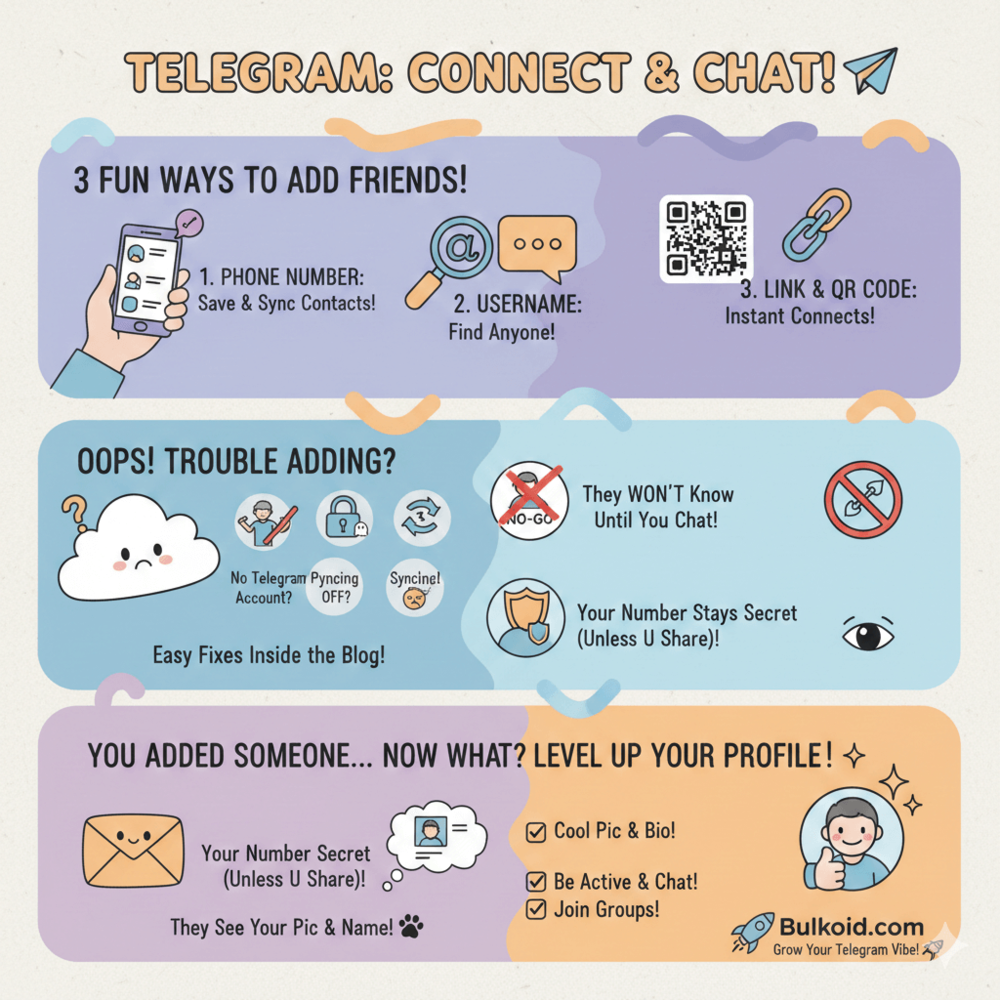
Adding someone on Telegram is easy once you know the options. You can connect using a phone number, a username or a link, depending on what information you have.
If your account is already set up, adding people only takes a few taps. Telegram is built for quick conversations and flexible privacy, which makes it simple to connect without overthinking the process.
This guide shows you exactly how to add someone on Telegram, what to do if it does not work and what happens after you add a new contact.
How to Add Someone on Telegram Using a Phone Number
Adding someone on Telegram with a phone number is the most common method.
This method works best when your Telegram profile is fully set up, since contact syncing relies on an active account and verified number.
On Android
- Save the person’s phone number to your contacts.
- Open Telegram and tap the Contacts tab.
- Tap Add Contact.
- Enter the name and phone number, then save.
- If the number is registered on Telegram, the contact appears instantly.
If the contact does not show up right away, pull down to refresh your contacts or check that contact syncing is enabled in Telegram’s settings.
On iPhone
- Save the phone number in your iPhone contacts.
- Open Telegram and go to Contacts.
- Tap Add Contact in the top corner.
- Enter the details and save.
Adding contacts by number works well for everyday chats. That is because many people use Telegram for more than basic messaging, including groups, channels and shared content.
How to Add Someone on Telegram Using a Username
Adding someone by username is one of the easiest ways to connect on Telegram, especially if you do not want to share phone numbers.
Usernames let people find and message each other without syncing contacts.
To add someone using a username:
1️⃣ Open Telegram and tap the search icon.
2️⃣ Type the person’s username, with or without the @ symbol.
3️⃣ Select the correct profile from the search results.
4️⃣ Tap the profile and start a chat.
Once you open a conversation, Telegram saves it automatically. You do not need to add the person to your contacts unless you want to.
Many users prefer sharing a username instead of a phone number, especially when connecting with new people or keeping their contact list private.
How to Add Someone Using a Telegram Link or QR Code
Telegram also lets you add people using profile links and QR codes. This method is common when joining groups, channels or shared communities.
To add someone using a Telegram link:
- Tap the link you were given.
- Choose Open in Telegram.
- Start the chat or join the group.
To add someone using a QR code:
- Open Telegram and tap the search icon.
- Select the QR code option.
- Scan the code using your camera.
Links and QR codes make it easy to connect without searching or sharing personal details.
Many public profiles and groups share links to help people join quickly, especially when connecting around specific topics or hobbies.
Why You Can’t Add Someone on Telegram

If you are having trouble adding someone on Telegram, a few common issues usually explain why. Most of them have simple fixes.
❌ The person does not have a Telegram account: If the number or username is not registered on Telegram, the contact will not appear.
Fix: Ask them to join Telegram first or share their username once their account is active.
❌ Their privacy settings prevent being added: Some users block being added by phone number.
Fix: Use their username or a Telegram link instead of a phone number.
❌ Contact syncing is turned off: If Telegram cannot access your contacts, saved numbers will not show up.
Fix: Enable contact syncing in Telegram settings and allow contact permissions on your device.
❌ The username is incorrect or changed: Usernames can be updated at any time.
Fix: Ask for the current username or use a direct profile link.
❌ The person has blocked you: If someone blocks you, you cannot add or message them.
Fix: There is no workaround here. You will need to wait for them to unblock you.
Most issues come down to privacy settings or missing information. Once those are sorted, adding someone on Telegram usually works right away.
What Happens When You Add Someone on Telegram
Adding someone on Telegram does not automatically notify them. The other person will only notice you once you start a conversation or interact with their profile.
What they can see depends on their privacy settings. In most cases, they may see your name, profile photo and username. Your phone number stays hidden unless you allow it to be visible.
Telegram gives users a lot of control over privacy, which is one reason many people feel comfortable adding new contacts. Questions about safety often come up here, especially for new users and it helps to understand how Telegram handles privacy and visibility.
Guides like Is Telegram safe? Privacy and security explained explain how these settings work and what information stays private.
Once a chat starts, it appears in both users’ chat lists. From there, you can message, share media or mute the conversation if needed.
Growing Your Telegram Presence

What helps your profile feel established:
- A clear profile photo that matches your brand or personality
- A short, readable bio that explains who you are or what you offer
- Recent activity that shows your account is not inactive
- Consistent engagement in chats, groups or channels
Telegram continues to grow as a global platform, with usage expanding across personal, creator and business accounts.
Data on Telegram monthly active users worldwide shows why standing out and staying visible matters more than ever.
This is where visibility support can make a difference. Bulkoid helps Telegram users strengthen their presence by supporting reach and engagement, making profiles feel more active from the start.
When new contacts see movement and interaction, conversations feel more natural and easier to begin.
Final Thoughts
Adding someone on Telegram is simple once you know the right method. Whether you use a phone number, username or link, the process only takes a few seconds when everything is set up correctly.
Most issues come down to privacy settings or missing information. Once those are sorted, Telegram becomes an easy platform to connect, chat and grow real conversations.
👉 Want to Grow Faster on Telegram?
Adding contacts is just the first step. If you want your profile to feel active, visible and worth engaging with, Bulkoid can help.
Bulkoid offers Telegram growth services designed to support visibility and engagement, so new connections are more likely to respond and stick around.